


MSP lead generation works when you identify local businesses that need dependable ongoing support and can explain a real gap in their current setup. The goal is to start a service-fit conversation, not to sell a bundle before you know which users, systems and responsibilities the provider would take on.
Focus on organizations where owners or operations leads still coordinate help desk requests, device setup and vendor escalations themselves, or where a small internal IT team needs defined coverage. Offer a scoped review of support ownership, recurring issues and planned technology changes, not a broad security audit. A useful B2B lead generation process separates a business prospect from the people and systems that would enter a managed service agreement.
Key takeaways
- Approach local organizations with a clear support gap, such as owner-managed IT or an overstretched internal contact.
- Use a scoped technology review to map service ownership, device lifecycle and onboarding needs before proposing managed coverage.
- Treat onboarding as part of the offer: access inventory, ticket routing, backups and vendor handoffs need agreed owners.
- Describe only the coverage and security practices your team can deliver, and avoid promising that an MSP prevents every incident.
MSP lead generation starts with a support gap
Section titled: MSP lead generation starts with a support gapPrioritize businesses where technology support is a recurring operational responsibility but no one has clear time or ownership for it. A local owner or operations lead can often explain the problem faster than a broad technology title can.
- Professional offices without an IT department: Accounting, legal, design and consulting firms rely on staff access, email, shared files and specialist applications every day. Ask who handles new starters, locked accounts and software vendor issues when the owner is busy.
- Growing service businesses: A field-service or multi-site company may have devices, scheduling tools and remote workers that need consistent support. Look for a local operations lead who coordinates equipment and software across the team.
- Companies with a thin internal IT team: An internal administrator may welcome outside help with ticket overflow, endpoint upkeep or after-hours escalation. Position the offer as a defined co-managed role, not a replacement for the employee who owns internal systems.
If a business is buying a one-time migration or network project instead of continuing support, the IT services lead generation guide addresses that project-led conversation.
Qualify the support environment before saving a prospect
Section titled: Qualify the support environment before saving a prospectA business is a good MSP prospect only when your service desk, technicians and security practices can support its actual environment. Qualify the operating model before estimating fit or inviting a technical discovery call.
- Map the support boundary. Find out which users, work locations and business hours need coverage, and whether support is remote, onsite or a mix. State any response commitments only if your team can meet them.
- Understand the current owner of IT. Separate a fully outsourced need from co-managed support for an internal administrator. Agree who approves access, changes configurations and escalates a business-critical issue.
- Check the systems your service desk can take on. Ask about endpoint types, identity and email platforms, backup responsibilities, network equipment and specialist applications. Identify unsupported or end-of-life systems before promising coverage.
- Review onboarding readiness. A safe transition needs an inventory of devices and administrator accounts, documented vendor contacts, ticket routing and a backup handoff. Confirm who can authorize access and when existing providers will release it.
- Set the security and compliance boundary. Explain the controls your MSP operates and which duties remain with the client or its specialist advisers. Do not claim that managed support guarantees regulatory compliance or prevents every cyber incident.
Before enrichment, be able to name the service question behind the account: who handles user issues today, what coverage is missing and who could approve a change.
About the demo workspace
The demo operator is London Computer support and services Services. The corporate offices, contacts and inbox replies shown below are fictional records created for the walkthrough. They are not Anomalead customers, real prospects or campaign results.
Find businesses with a recurring support need
Section titled: Find businesses with a recurring support needSearch for local offices your team can support remotely or reach for an onsite visit. Then review each firm's public description, locations and hiring or service pages for clues about its working model; a company category alone cannot show who manages its IT.
Treat the results as a research queue. Ratings and short descriptions do not prove that a company needs an MSP or is changing providers. Use this guide to finding business leads to keep a prospect only when you can explain why its support setup may fit your service.
Set the search around your real support territory
Section titled: Set the search around your real support territorySelect corporate offices and a service area that fits your remote coverage and onsite commitments. Location and rating filters organize the search; they do not reveal the prospect's IT systems or current support arrangement.
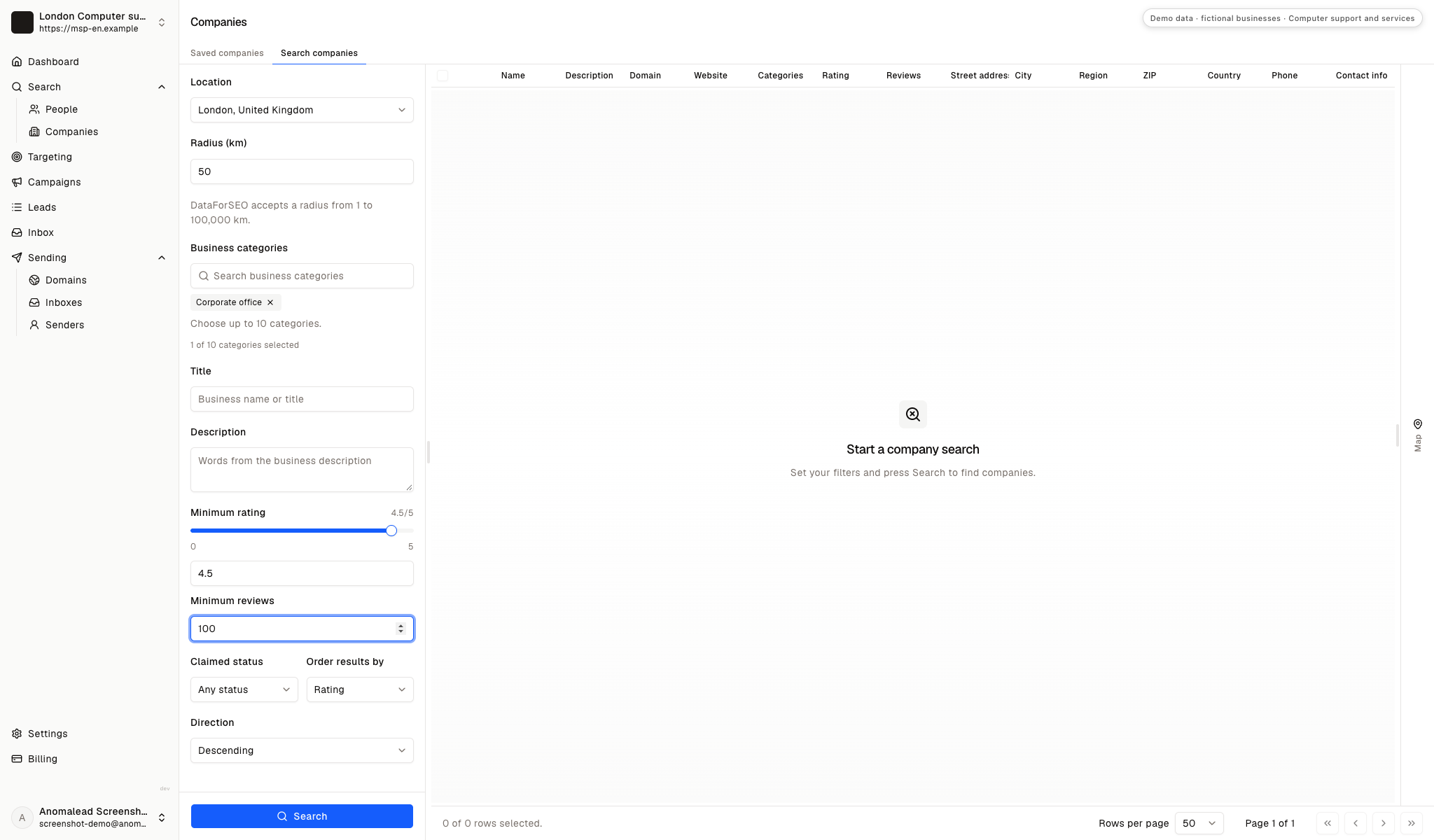
Review company records as research leads
Section titled: Review company records as research leadsThe demo shows three fictional corporate offices with generic descriptions, domains and review details. Their labels are London Corporate office 1, London Corporate office 2 and London Corporate office 3; they are interface examples, not verified customers or MSP prospects.
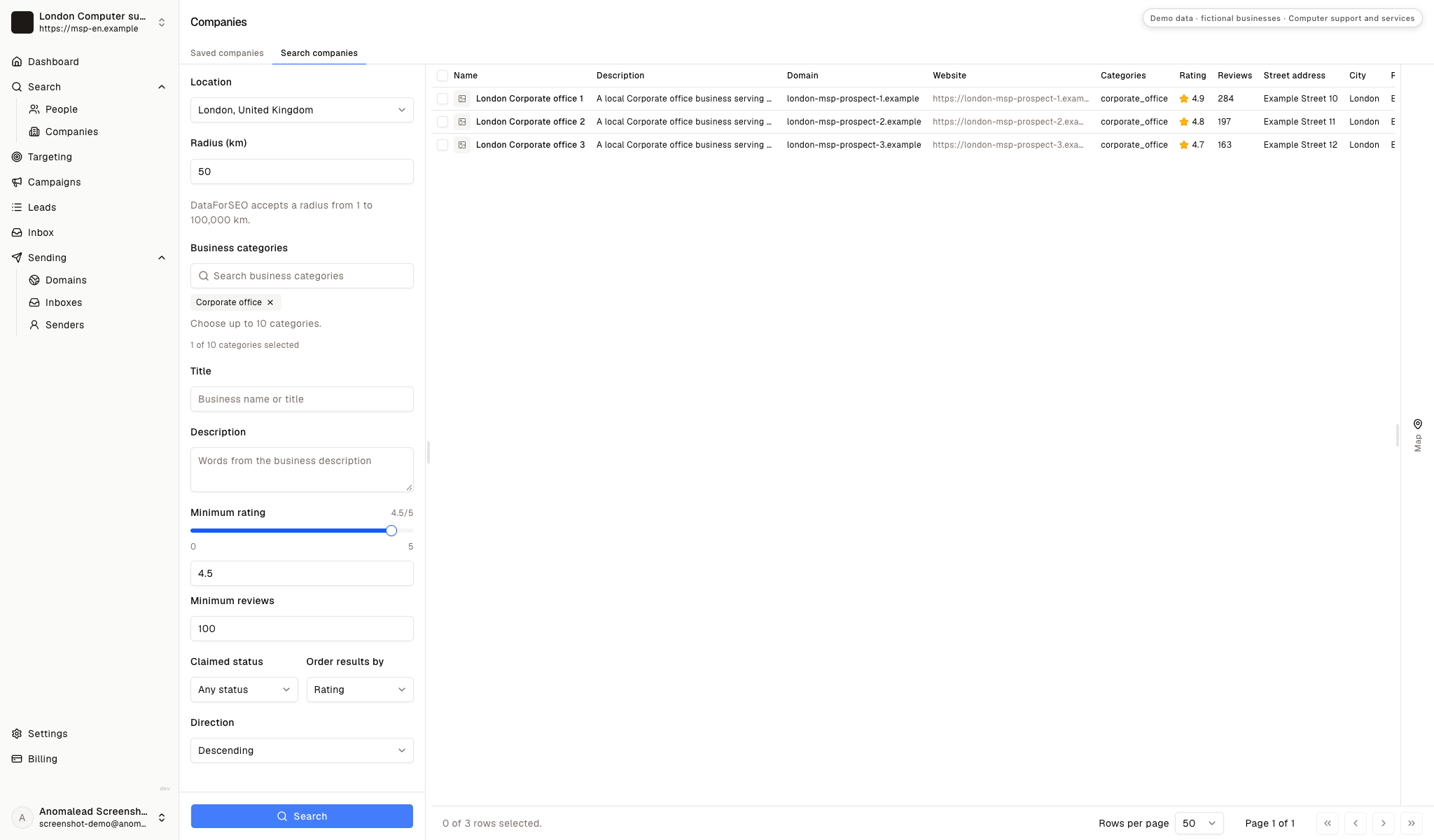
Save only firms with a support-fit hypothesis
Section titled: Save only firms with a support-fit hypothesisTwo of the three sample companies are selected for follow-up research. For real accounts, record a short reason such as several locations, frequent hiring or no visible internal IT role, then verify that clue before outreach.
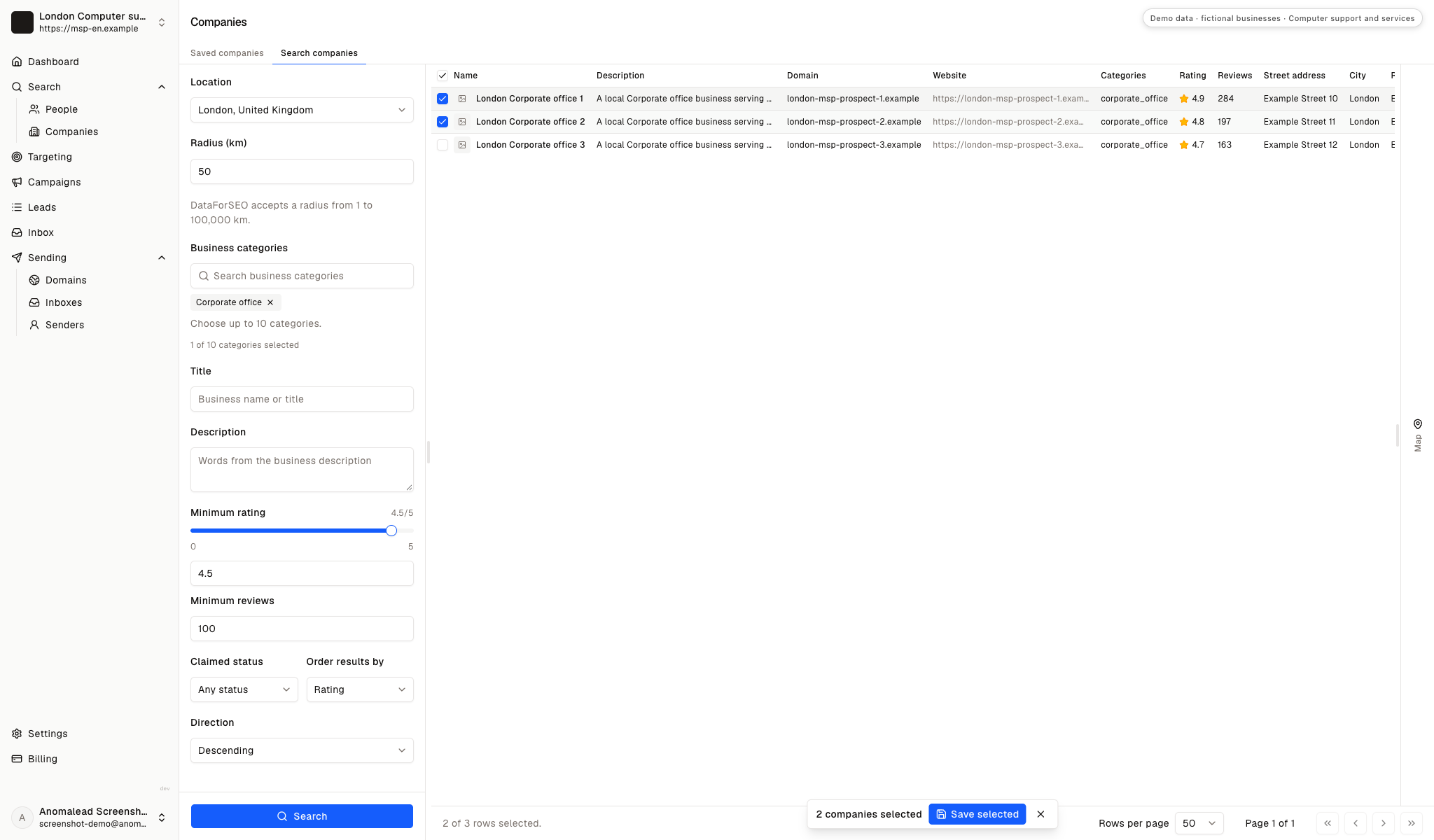
Enrich the shortlist around IT ownership
Section titled: Enrich the shortlist around IT ownershipLook for the person who can describe support ownership and approve a discovery conversation. In a smaller firm that may be the owner or operations director; a larger local business may route you through an office manager to an internal IT lead.
The fictional Partnerships Manager labels in the demo do not describe a typical MSP buyer role. Verify who handles user support, vendor access and service-provider decisions before writing, and avoid adding several people from one office to the same generic sequence.
Check the saved companies before people enrichment
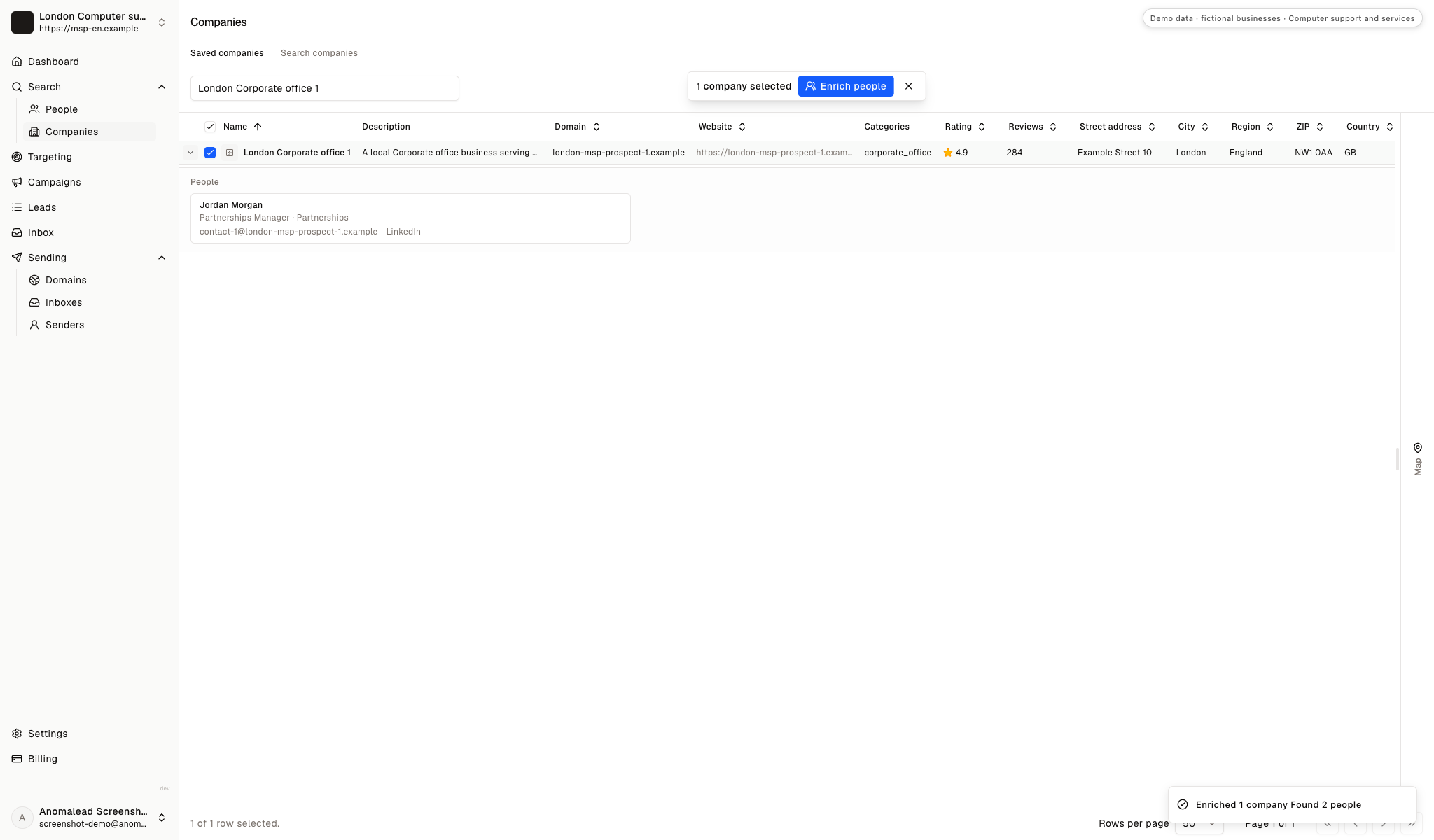
Section titled: Check the saved companies before people enrichmentOne saved company is selected before the contact lookup. Confirm its locations and business model are plausible for your support desk before using Enrich people; enrichment adds names but does not qualify an IT service opportunity.
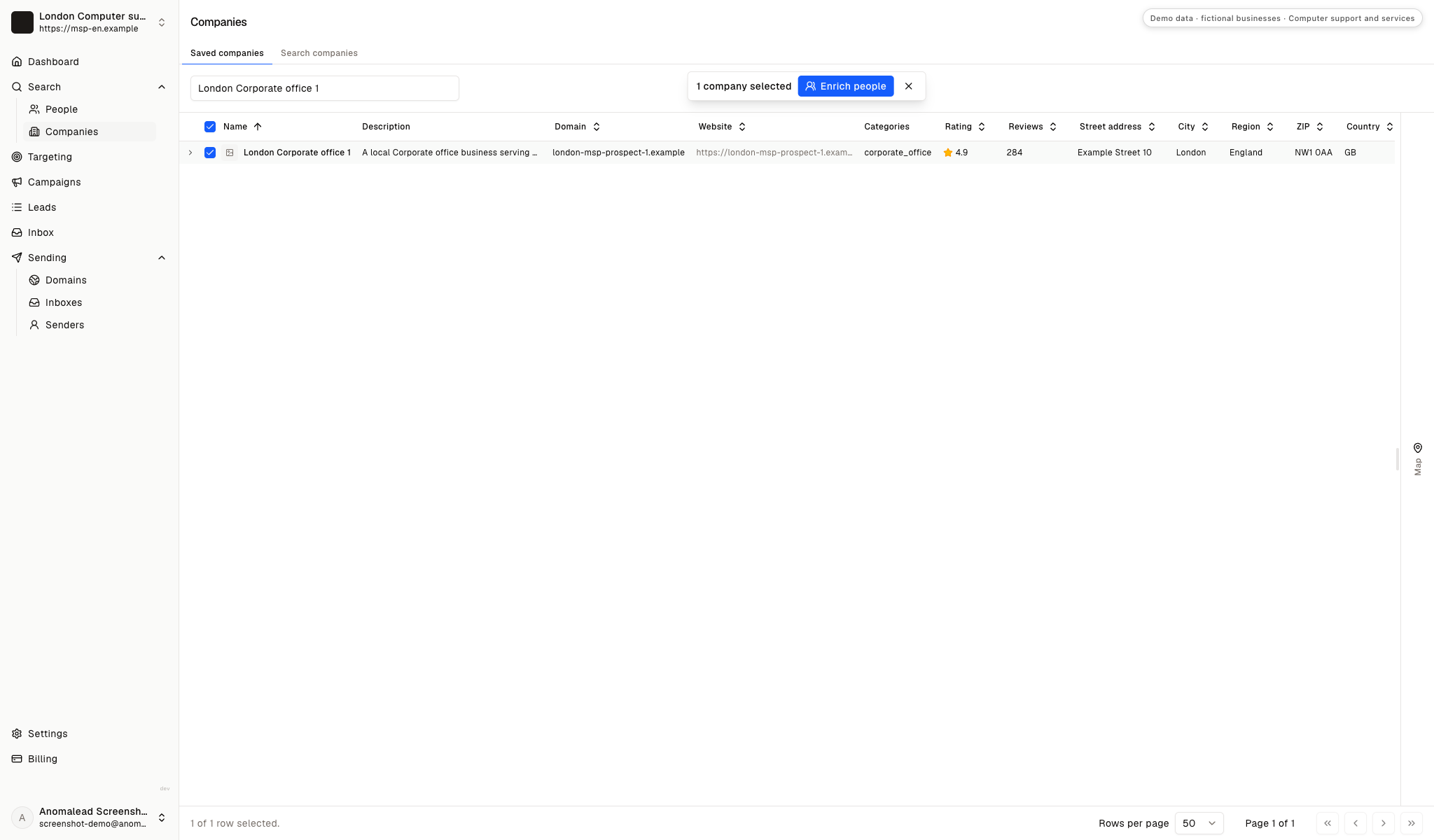
Verify each contact's role in support decisions
Section titled: Verify each contact's role in support decisionsThe sample panel lists Jordan Morgan and Taylor Reed as Partnerships Managers. These are fictional records; real MSP conversations are more likely to involve an owner, operations lead, internal IT contact or office manager.
Keep the lead list limited to business contacts
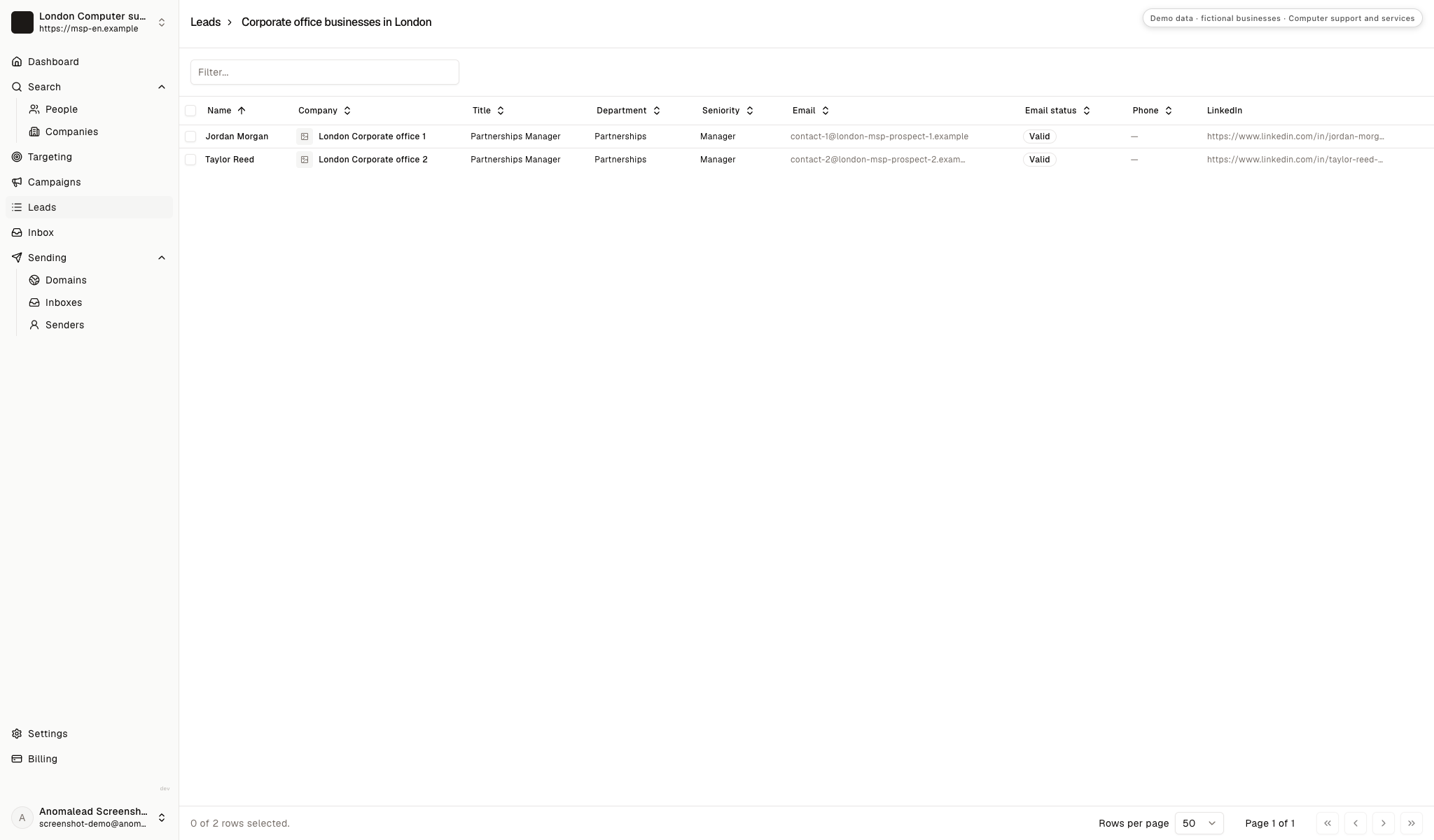
Section titled: Keep the lead list limited to business contactsThe sample lead list holds two contacts from different corporate offices. Check company, title and email status, and do not copy passwords, network details, employee tickets or device inventories into prospect notes.
Would this business fit a managed support agreement?
Section titled: Would this business fit a managed support agreement?An MSP account can include recurring service desk work, endpoint care and planned technology reviews, but its value depends on support scope and onboarding effort. Consider the users, locations, systems, service window and escalation load your team would own before deciding whether an account is worth pursuing.
A broad device count is not enough if the estate includes tools or responsibilities your service cannot support.
The calculator uses the deal value, meetings and close rate you enter as planning assumptions. Its result is not a forecast of signed agreements, recurring revenue, service margin or client retention.
Do the math on one good deal
If one new customer is worth thousands, you don’t need magic. You need a few more meetings a month.
Projected monthly results
- Deals closed
- 2.0
- Projected revenue
- £10,000
- Growth plan (1 business)
- £79/mo
- ROI
- 12,558%
Conservative math on meetings you already believe you can book. One closed deal often pays for a year of Anomalead.
If the account requires unpriced onboarding or unclear after-hours coverage, resolve that scope before treating the calculator output as useful.
Write about the handover, not a tool list
Section titled: Write about the handover, not a tool listAn MSP introduction should explain which support responsibility you can take on and how a transition would be scoped. A local owner is more likely to answer a clear question about ticket handling or device onboarding than a list of platforms and acronyms.
Use a concise cold email opener, then ask whether the business reviews its support arrangement or needs overflow coverage. Do not imply that a short email is enough to assess security or recommend technical changes.
Select contacts who can discuss service ownership
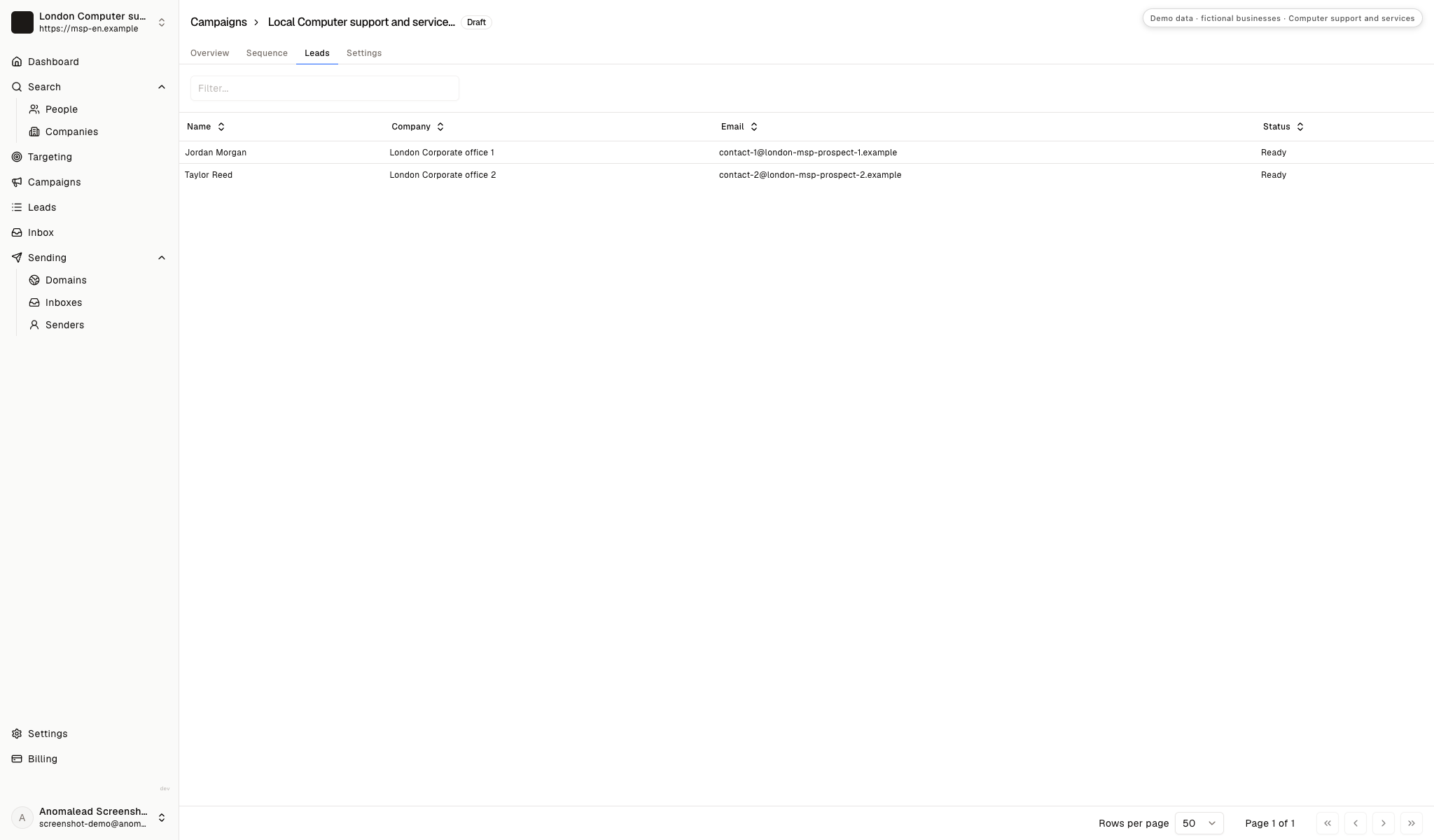
Section titled: Select contacts who can discuss service ownershipThe draft campaign contains two fictional corporate-office contacts. In live outreach, split owners, operations leads and IT managers into relevant messages because they know different parts of the support process.
Check that each follow-up adds a useful detail
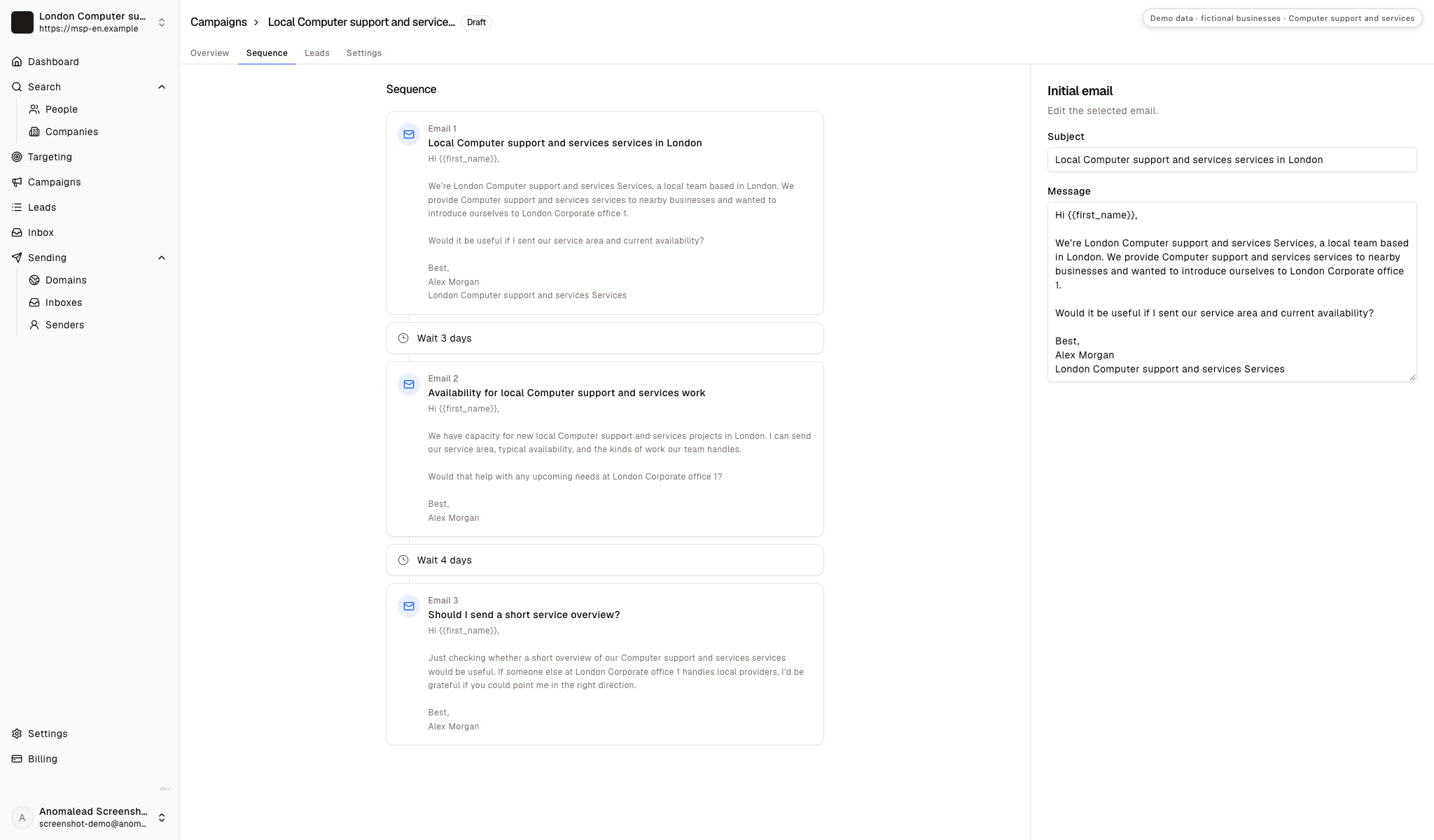
Section titled: Check that each follow-up adds a useful detailThe sequence editor shows three prepared emails and two wait intervals. The demo copy is generic, so replace it with an accurate support example and make each later message useful rather than repeating the same availability pitch.
Introduce the service desk around a real operating need
Section titled: Introduce the service desk around a real operating needThe fixture email only offers a service area and availability. This version names recurring support responsibilities while leaving technical discovery for a conversation. Adjust each claim to the services your MSP actually provides.
First note to a local business owner
Subject: A clearer support path for your team
Hi Jordan,
I run London Computer support and services Services. We provide ongoing IT support for local teams, including user requests, device onboarding and vendor coordination where those services fit the agreed scope.
We start by clarifying who owns access, escalation and the handover from any current provider. Would a scoped review of that process help your team plan support?
Best,
Alex Morgan, London Computer support and services Services
Keep the message about a defined support responsibility, not an unverified weakness in the recipient's security. These B2B cold email templates can help shape follow-ups without promising a technical outcome.
Use the first reply to scope a useful next step
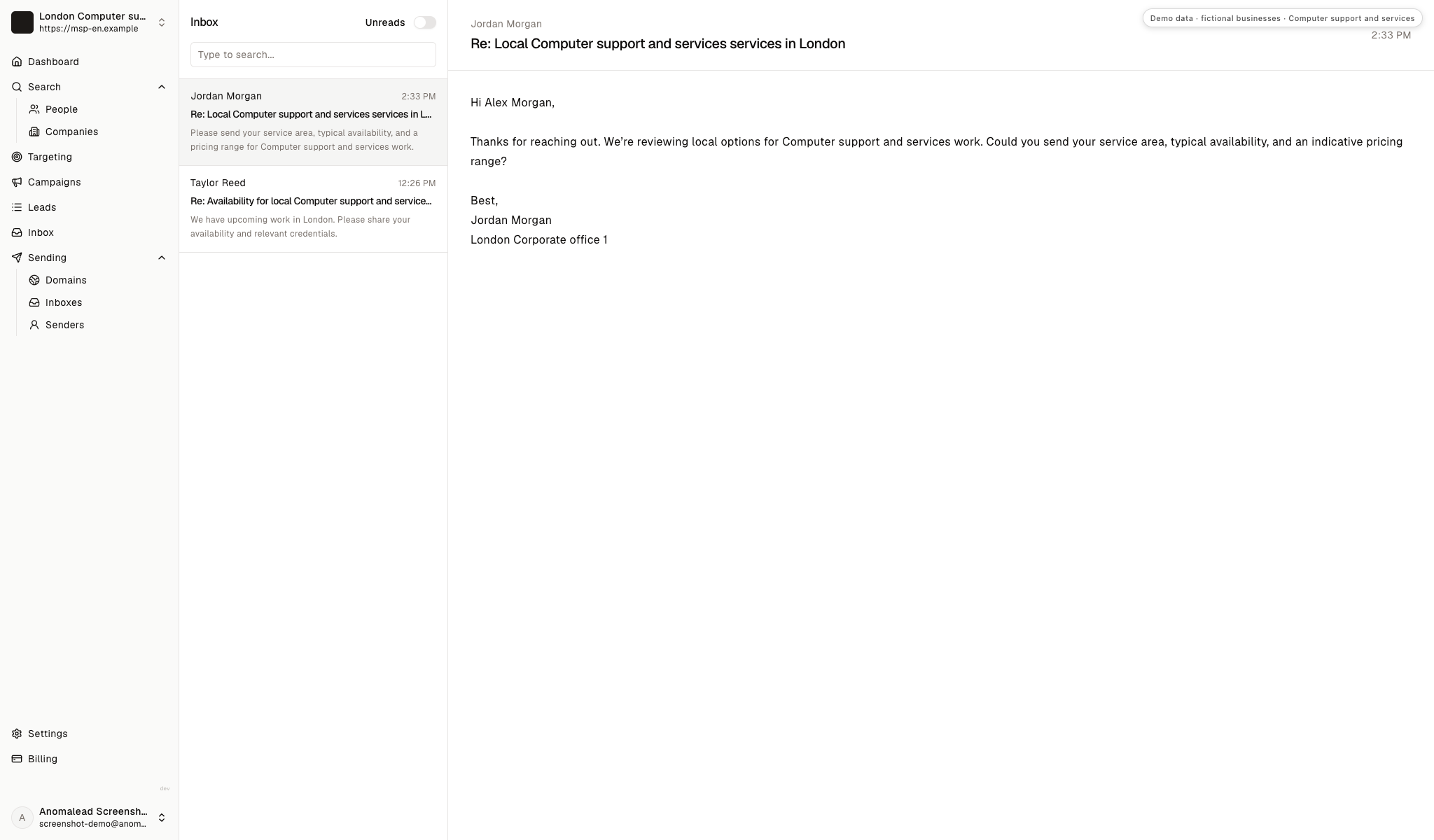
Section titled: Use the first reply to scope a useful next stepThe fictional inbox asks about service area, availability, an indicative price and relevant credentials. These are demo replies, not messages from companies looking to switch MSPs. Answer only what you can verify, then ask what support responsibility is in scope.
Handle MSP replies by clarifying scope and ownership
Section titled: Handle MSP replies by clarifying scope and ownershipAnswer the practical question first, then find out whether the request is recurring support, co-managed coverage or a one-off project. That distinction shapes both the discovery call and the service proposal.
Jordan asks about service area, availability and pricing
Section titled: Jordan asks about service area, availability and pricingJordan Morgan asks which locations the team can support, when it is available and how managed IT work is priced.
Describe your remote and onsite coverage and explain what affects scope, such as supported users, systems, service hours and onboarding. Do not quote a recurring plan before confirming responsibilities and the current environment.
A clear response can move toward discovery without guessing:
Thanks, Jordan. I can share our current coverage and explain how we scope ongoing support. The right plan depends on the systems and responsibilities your team wants covered. Would a short call about your current support setup be useful?
Taylor asks about an upcoming need and credentials
Section titled: Taylor asks about an upcoming need and credentialsTaylor Reed asks about availability, supported work and credentials for a possible technology need.
Find out whether the business needs managed support or a defined project. Share current credentials and service limits that apply, and avoid implying that a credential covers every system or security task.
A scoped answer invites the right kind of conversation:
Thanks, Taylor. I can send our current service outline and relevant credentials. Is the need for ongoing user and device support, or a specific project with a defined handover?
The business already has an IT provider
Section titled: The business already has an IT providerWe have an IT company and are not looking to replace them right now.
Respect the current relationship. Ask whether the business ever needs scoped overflow or specialist cover, and leave it there if no gap exists. A co-managed offer should name the task your team would own rather than criticize the incumbent.
The owner wants full support to begin immediately
Section titled: The owner wants full support to begin immediatelyCan your team take over support for everyone as soon as possible?
Do not promise a transition date before checking administrator access, device and account inventories, backups, vendor contacts and open incidents. Agree who authorizes each handoff and what must be verified before responsibility moves.
Pick one business profile for the next prospect list
Section titled: Pick one business profile for the next prospect listThis week, choose one kind of local business and write down the support gap you can responsibly solve. Research each account for signs of user growth, multiple work locations or a named operations contact, then verify those clues before adding a decision-maker.
Use replies to learn whether prospects want an ongoing service desk, co-managed help or a project. Keep your message tied to service boundaries; for more business lead generation ideas, separate campaigns by the need your team can actually cover.
Managed service provider lead generation questions
Section titled: Managed service provider lead generation questionsWhich local businesses should an MSP approach first?
Section titled: Which local businesses should an MSP approach first?Start with organizations where ongoing support has no clear owner or a small internal IT team needs a defined partner. Review their systems, locations and support model before deciding whether your service desk can take responsibility.
What should an MSP qualify before offering a managed plan?
Section titled: What should an MSP qualify before offering a managed plan?Clarify supported users, devices, core applications, service hours, onsite needs and escalation ownership. Then check access, backups and onboarding work so the service can be scoped without assumptions.
How is MSP lead generation different from project-based IT sales?
Section titled: How is MSP lead generation different from project-based IT sales?An MSP conversation is about recurring support responsibilities, service windows and a safe operational handover. A project-led IT sale centers on a defined migration, installation or infrastructure change with a separate completion point.
Are the offices and replies in the screenshots real?
Section titled: Are the offices and replies in the screenshots real?No. The operator, corporate offices, contacts and replies are fictional demo records. They are not Anomalead customers, verified prospects or real campaign results.
Does the ROI calculator predict managed service revenue?
Section titled: Does the ROI calculator predict managed service revenue?No. It organizes the deal value and conversion assumptions you enter for planning. It does not predict a signed agreement, recurring revenue, client retention or service margin.