


IT services lead generation works best when you can connect a local business to a defined technical job your team is equipped to deliver. Start with a likely change, such as a new office network, a cloud migration or a device rollout, then verify the scope before you discuss a solution.
A project buyer needs confidence about dependencies, disruption and what will be handed over when the work is done. The B2B lead generation process should help you find the right company and the person who can explain its current setup, not imply that a generic office listing is already a qualified opportunity.
Key takeaways
- Target companies showing a plausible technology change, then confirm that a real project owner can describe it.
- Qualify the current and desired setup, affected sites, access needs, change window and acceptance criteria before estimating fit.
- Write to the business outcome of one project, such as a tested office move or a documented migration, rather than claiming to cover every IT need.
- Treat post-project support as a separate scope unless the buyer explicitly asks for ongoing service.
IT services lead generation starts with a defined project
Section titled: IT services lead generation starts with a defined projectThe strongest prospects have a technical change with an owner, a reason to act and a clear outcome. Look for a project context your team can explain in plain terms, rather than a company that merely seems large enough to buy IT work.
- Businesses opening, moving or consolidating offices: An office change can require network design, internet coordination, Wi-Fi coverage, workstation setup and a cutover plan. The operations lead or office manager often knows the move date and access constraints, while an internal IT contact checks technical fit.
- Internal IT teams with a delivery backlog: A system administrator may need outside capacity for a server replacement, identity rollout or email migration while retaining ownership of the environment. Ask which work package needs help and who approves changes, so the offer supports the team instead of suggesting a replacement.
- Growing firms standardizing tools across locations: Adding a site or bringing teams onto shared collaboration tools can expose differences in accounts, connectivity and device configuration. A business owner or operations director may sponsor the change, with an IT lead or software partner defining dependencies.
- Organizations replacing equipment or moving workloads: A planned network refresh, storage change or cloud move has a more credible buying signal when a responsible contact can discuss the existing design, the target state and what cannot be interrupted.
A request for a one-time migration or installation is different from an outsourced service desk relationship. The MSP lead generation guide covers prospects seeking continuing support ownership.
Qualify the project before you promise a delivery plan
Section titled: Qualify the project before you promise a delivery planAn IT services opportunity is worth a technical conversation when the buyer can identify a business outcome and your team can assess the work behind it. Establish the delivery boundary before you quote, commit to a date or name a preferred product.
- Write down the current and target state. For a network change, ask about sites, internet circuits, switches, wireless coverage and any known cabling limits. For a migration, clarify the source, destination, identity setup and applications that depend on the data.
- Define the work package and exclusions. Separate discovery, design, procurement, installation, testing and training so the buyer knows what your team will deliver and which tasks remain with the client, carrier or software vendor.
- Check operational constraints. Confirm site access, who can authorize administrator access, which users are affected, when a change can happen and what level of interruption the business can accept. Never promise zero downtime before a technical plan exists.
- Find the technical evaluator and commercial approver. The internal IT lead may validate dependencies while an owner, operations director or procurement contact approves the project. Record who signs off on scope, access and changes.
- Agree what completion means. Identify the tests, documentation, configuration records, user handover and any post-cutover support the buyer expects. A project is not finished simply because new equipment powers on.
Before adding a prospect to a campaign, be able to state the likely project, the person who can verify it and one unanswered scoping question.
About the demo workspace
The demo operator is London Computer support and services Services. The corporate offices, contacts and inbox replies in this walkthrough are fictional records, not Anomalead customers, verified buyers or real project results.
Find companies with a reason to change their technology
Section titled: Find companies with a reason to change their technologySearch within the places your team can actually reach, then look for business events that can create project work: an office move, a new location, a public expansion plan, a hiring push for internal IT or a published procurement request. These are research clues, not proof that a company needs an outside provider.
Review company pages for the service model, locations and named decision roles. The seeded results below are generic corporate-office records with no evidence of a migration or installation. Keep them in a research queue until a current signal and a plausible technical fit are verified. A practical guide to finding business leads can help structure that first pass.
Choose a service area your team can support
Section titled: Choose a service area your team can supportSet a location and company category that match where your technicians can travel or where remote project work is practical. A search radius narrows the list; it does not establish whether an office has a planned network or migration project.
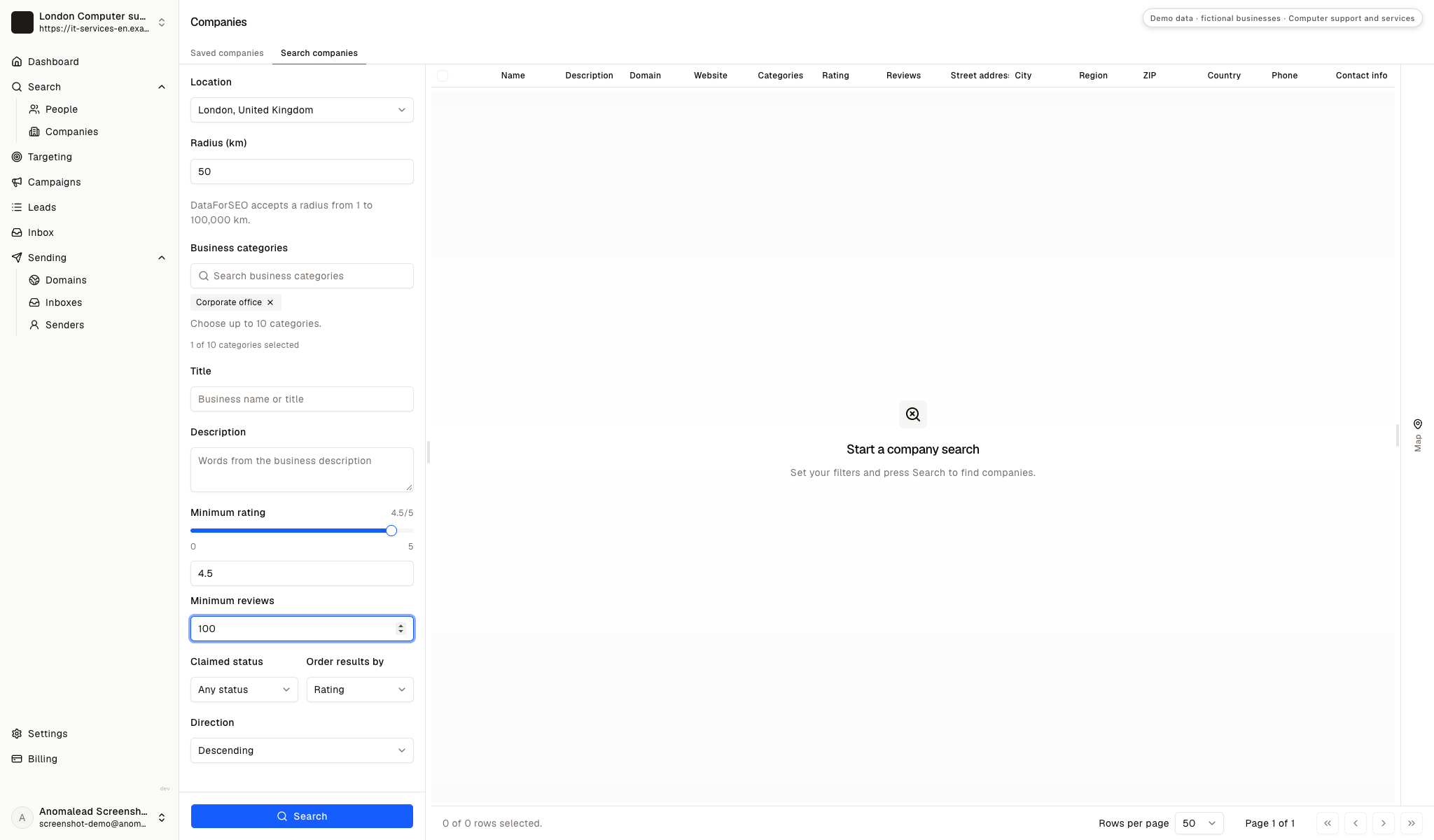
Read company results as research leads
Section titled: Read company results as research leadsThe results show London Corporate office 1, 2 and 3 with generic descriptions and domain records. Those labels are fixture data, not a signal that the offices are planning an IT change or have evaluated the provider.
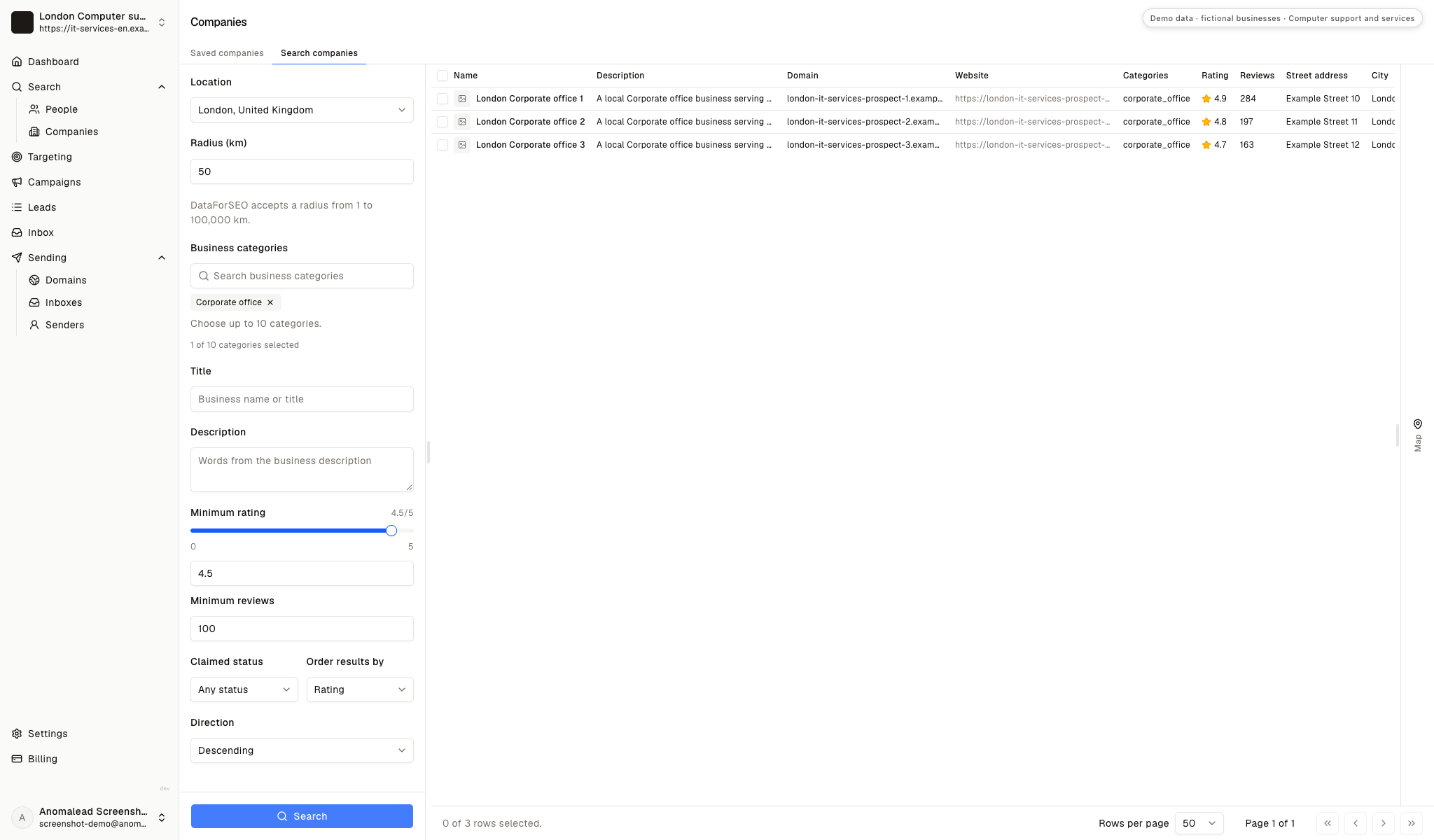
Save only firms with a testable project hypothesis
Section titled: Save only firms with a testable project hypothesisSelecting a company creates a place for further research, not a qualified project. For a real business, write down the public clue behind your hypothesis and verify it with a contact before treating the account as an active opportunity.
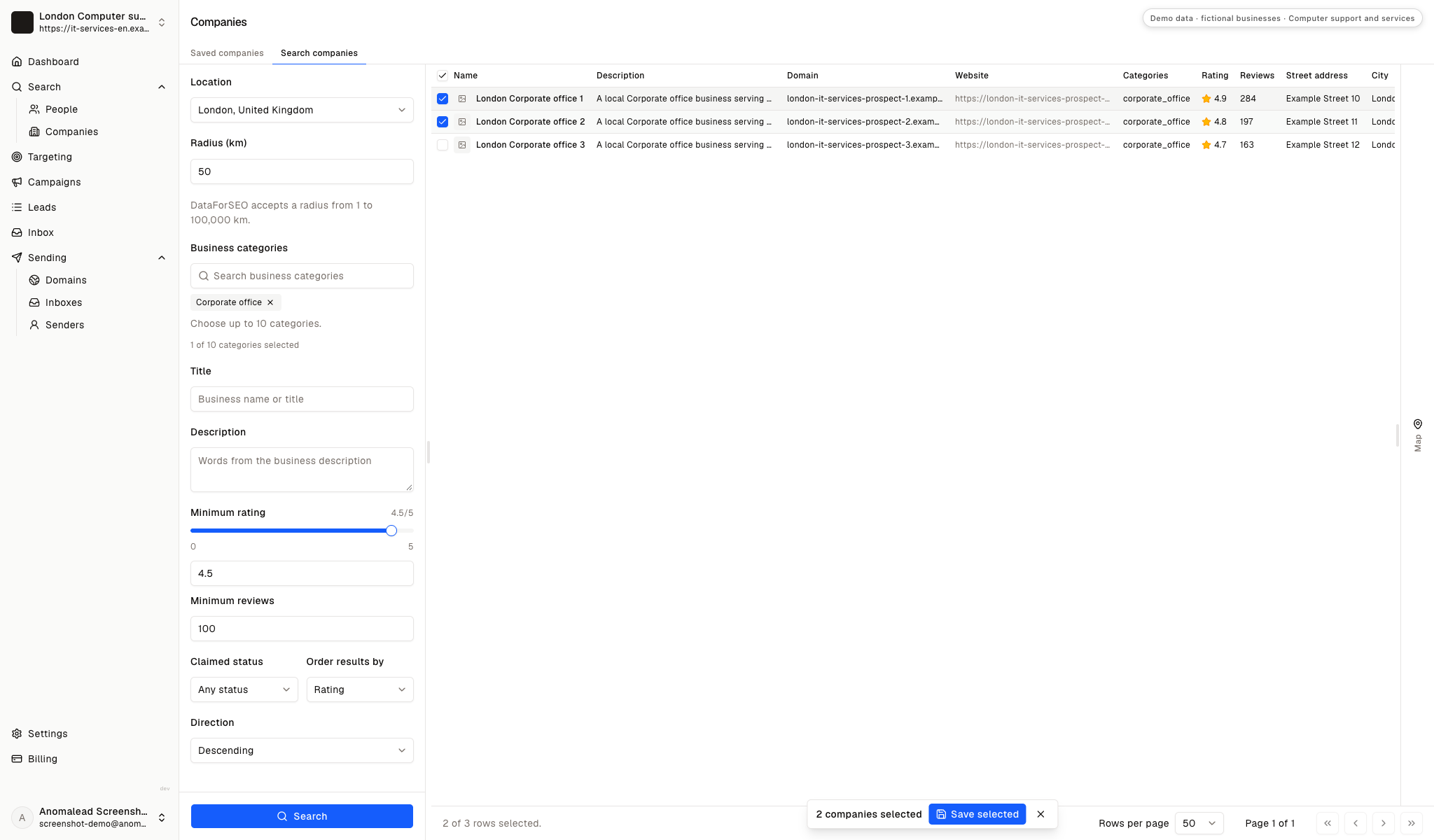
Find the people who can scope and approve the work
Section titled: Find the people who can scope and approve the workProject buying usually involves more than one role. An internal IT manager or systems administrator can explain the current environment; an operations lead may own the business disruption and timing; an owner, finance lead or procurement contact may approve the spend and vendor choice.
Use enrichment to identify a likely participant, then verify the role from the company site or a conversation. The fixture labels Jordan Morgan and Taylor Reed as Partnerships Managers, which is not evidence that either person buys technology projects. Keep notes to business facts and the source of each project signal.
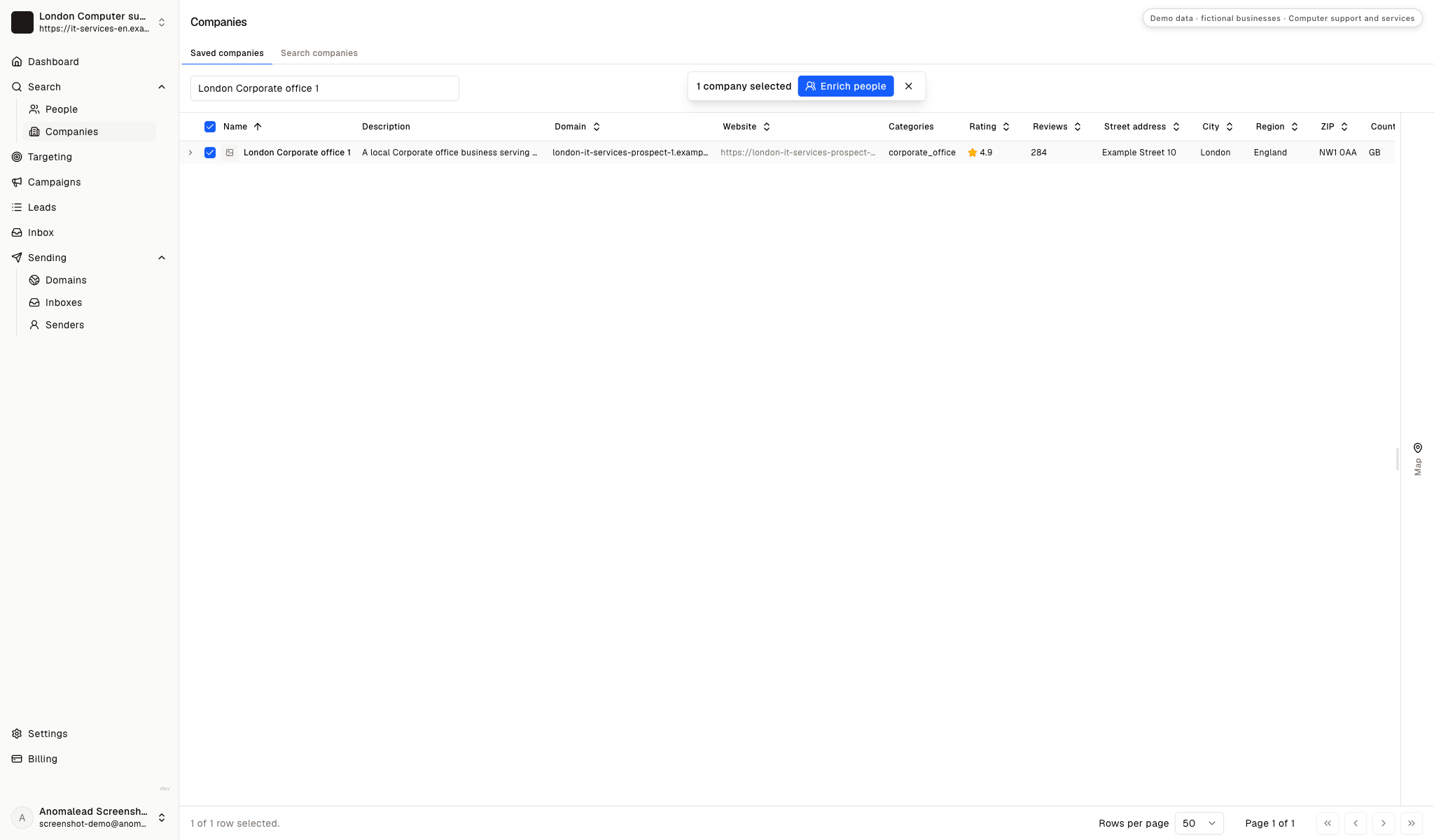
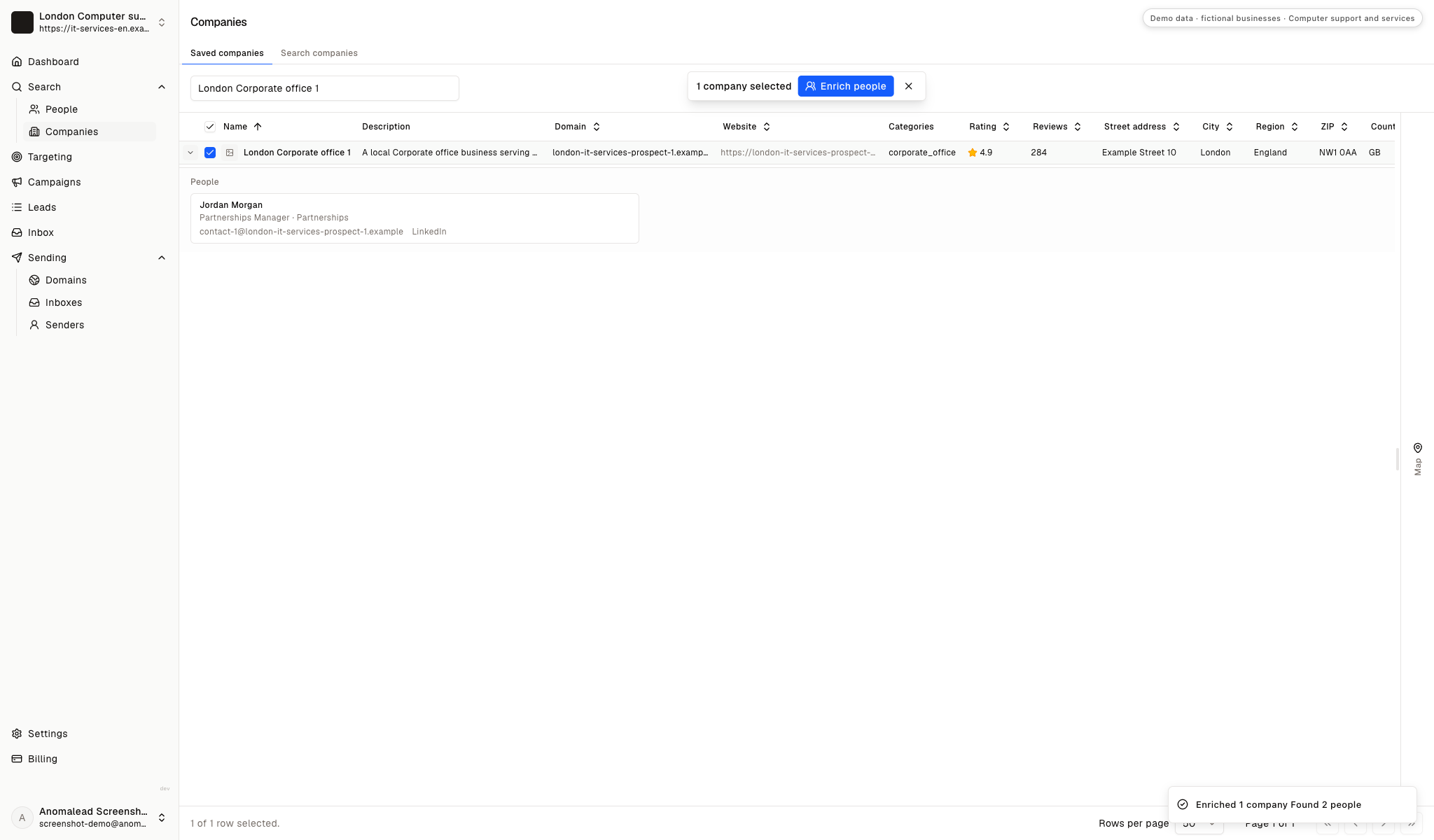
Check the account before looking up project contacts
Section titled: Check the account before looking up project contactsThe saved-company view holds one fictional office record before people are added. Confirm the company is within reach and has a plausible project context; a larger contact list cannot answer those questions for you.
Verify each contact's part in the buying process
Section titled: Verify each contact's part in the buying processThe example panel lists Jordan Morgan and Taylor Reed with partnership titles. They are fictional records; for a real project, establish who understands the technical dependencies and who can approve the work.
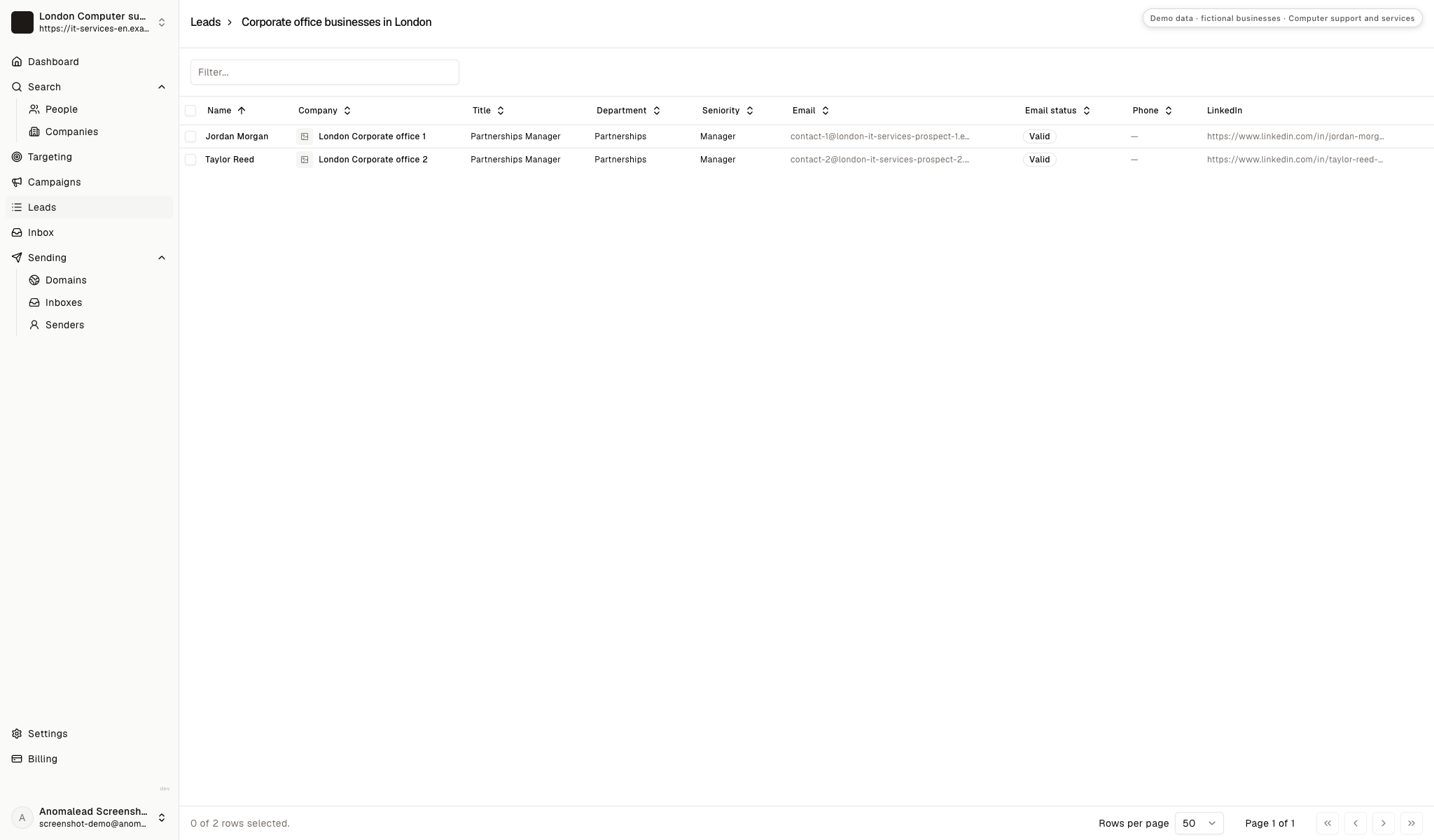
Keep project contacts tied to a real business role
Section titled: Keep project contacts tied to a real business roleThe sample list contains contacts associated with separate office records. Check the company, title and email status, and keep technical credentials, passwords, network diagrams and employee-level incident notes out of prospecting records.
Would this project fit your delivery capacity?
Section titled: Would this project fit your delivery capacity?A technology project can include discovery, design, equipment coordination, implementation, testing and handover. Its commercial fit depends on the work your team will own, the dependencies you must manage and the support expected during cutover.
A short request for an installation is not enough to estimate effort when sites, systems, access or acceptance criteria are still unknown.
The calculator organizes the deal value, meetings and close rate that you enter as planning assumptions. It does not forecast signed work, delivery margin, project success or future support revenue.
Do the math on one good deal
If one new customer is worth thousands, you don’t need magic. You need a few more meetings a month.
Projected monthly results
- Deals closed
- 2.0
- Projected revenue
- £10,000
- Growth plan (1 business)
- £79/mo
- ROI
- 12,558%
Conservative math on meetings you already believe you can book. One closed deal often pays for a year of Anomalead.
Clarify scope and delivery capacity with the buyer before using a planning estimate to prioritize the opportunity.
Write about one outcome the project can deliver
Section titled: Write about one outcome the project can deliverA useful first message names a project type your team can handle and the business result it supports. For an office move, that might be a tested network handover; for an email migration, it might be a documented cutover plan. Do not claim a company has a problem just because it appears in a local search.
Use a natural cold email opening and ask whether the project is being planned, already assigned or still being scoped. Keep product recommendations and delivery dates for the technical conversation, where dependencies can be checked.
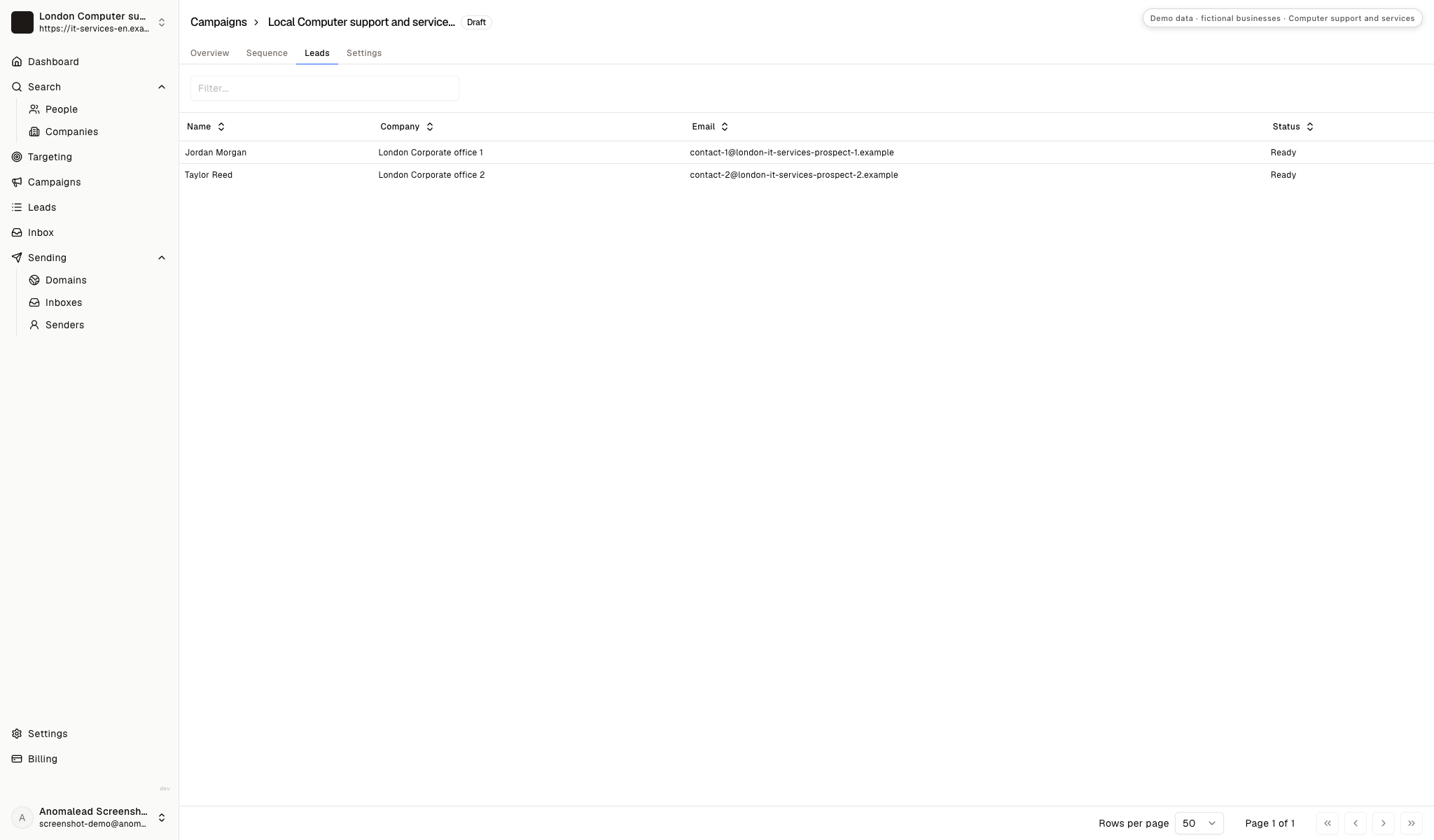
Choose recipients who know the project's context
Section titled: Choose recipients who know the project's contextThe campaign draft includes two fictional corporate-office contacts. In actual outreach, select a role that can discuss the project and adapt the message for the technical evaluator, operational owner or approver.
Make each follow-up useful to a project buyer
Section titled: Make each follow-up useful to a project buyerThe sequence editor displays three prepared emails and wait intervals. The seeded copy is generic, so replace it with a relevant project question; a later note can clarify scope or offer a discovery step instead of repeating availability.
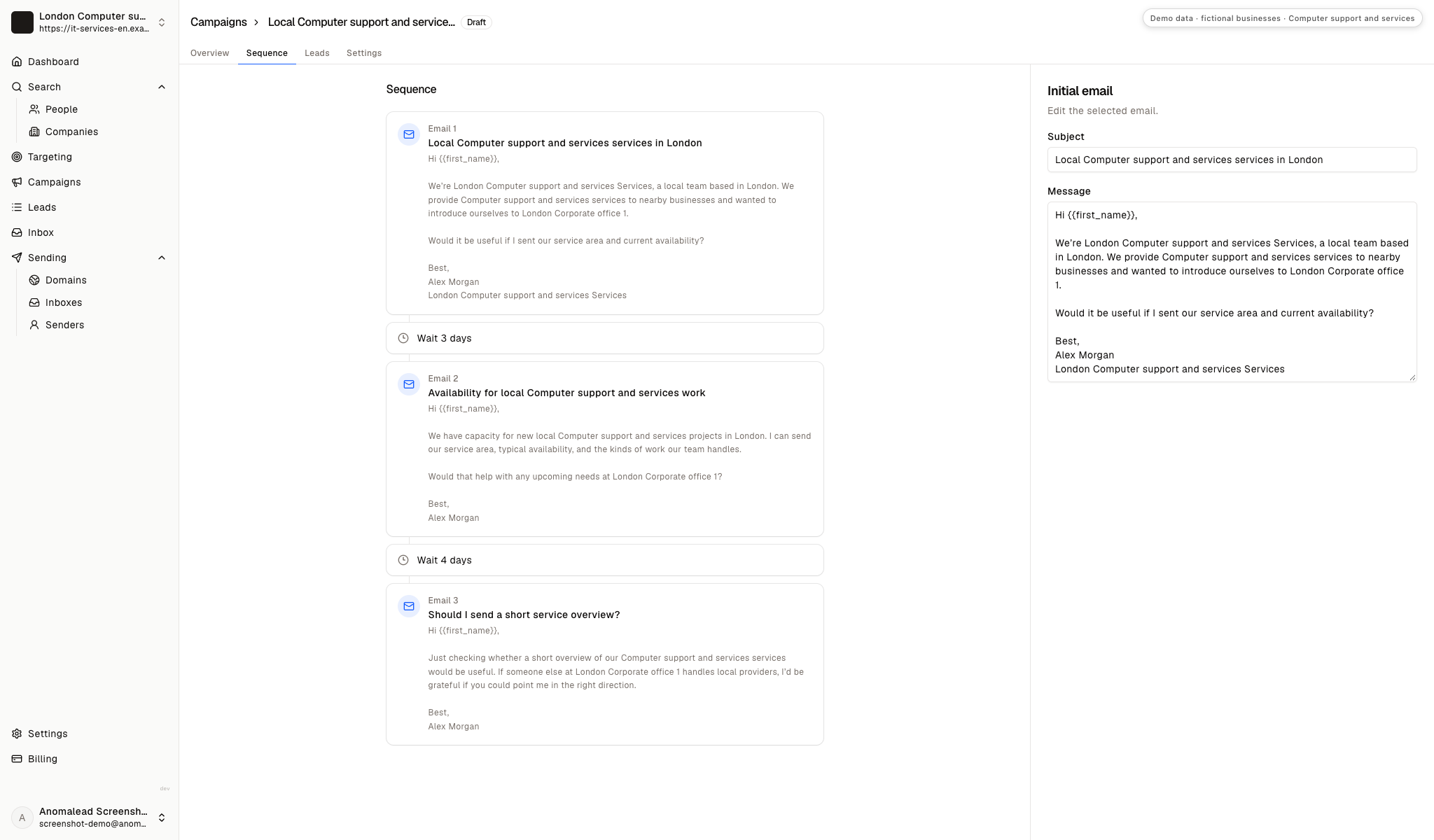
Introduce a bounded project conversation
Section titled: Introduce a bounded project conversationThe fixture email asks whether a service overview would be useful. This sample instead opens around a defined technology project and leaves discovery questions for a reply. Use it only for services your team can actually deliver.
First note to a local business contact
Subject: Planning an office technology project?
Hi Jordan,
I’m Alex Morgan with London Computer support and services Services. Our team works on defined technology projects for local businesses, including office network changes and email migrations where they fit our delivery scope.
We begin by confirming the existing setup, the people affected and the change window before proposing work. Is your team planning a technology project that would benefit from an early scoping conversation?
Regards,
Alex Morgan
London Computer support and services Services
Keep claims within your real delivery scope and avoid promising a disruption-free change before discovery. These B2B cold email examples can help shape a follow-up that adds a relevant detail.
Use the first reply to narrow the project scope
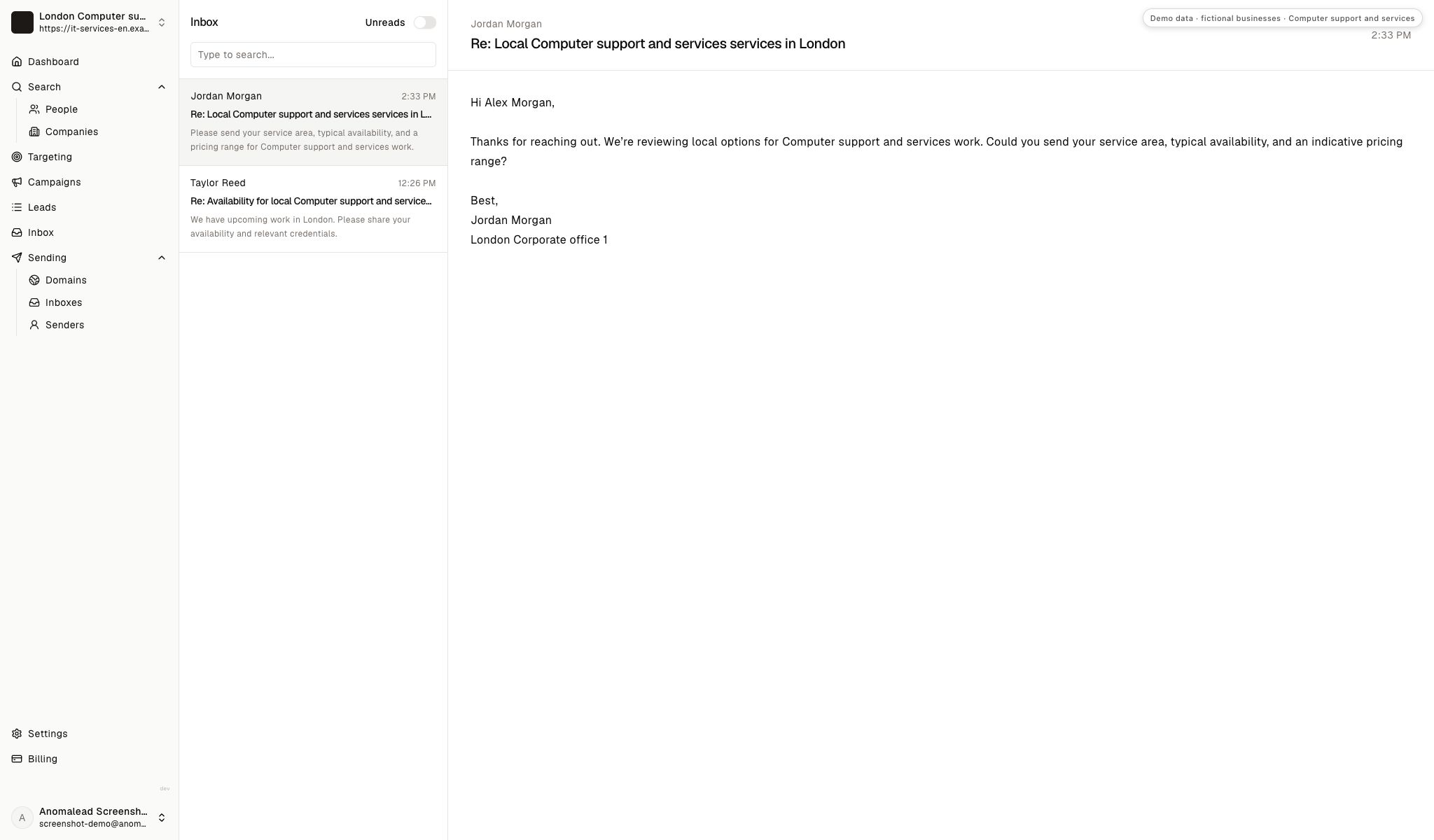
Section titled: Use the first reply to narrow the project scopeThe inbox shows a fictional response asking about service coverage, availability and price range. Treat it as an opening to establish the project type, site, current environment and approval path; it is not a real inquiry or evidence of buying intent.
Answer project questions without guessing at scope
Section titled: Answer project questions without guessing at scopeRespond to the question the buyer asked, then identify the smallest detail needed to make the next conversation concrete. A project request becomes more useful when the current setup, desired outcome and decision path are visible.
Jordan asks about coverage, timing and price
Section titled: Jordan asks about coverage, timing and priceJordan Morgan asks for the service area, usual availability and an indicative price range for IT work.
State where your team works and what affects scheduling. Explain that price depends on deliverables, sites, equipment and access, then ask which kind of project the company is considering. Do not send a fixed quote before you understand its boundaries.
A useful reply answers first and asks one scoping question:
Thanks, Jordan. I can share the locations we serve and how we schedule project work. Pricing depends on the systems and deliverables involved. Is the need for a network change, a migration or another defined project?
Taylor mentions upcoming work and asks for credentials
Section titled: Taylor mentions upcoming work and asks for credentialsTaylor Reed says a project may be coming up and asks what work the team covers, when it is available and which relevant credentials it holds.
Share only current credentials that apply to the proposed work. Ask for a brief project outline and who owns the technical review; do not imply that one credential qualifies the team for unrelated systems.
Keep the next step about project fit:
Thanks, Taylor. I can send the credentials relevant to our delivery scope. Could you share the type of project and the systems or locations it affects so I can confirm whether we are a fit?
The business already works with an IT provider
Section titled: The business already works with an IT providerOur IT provider handles this, so we are not looking to change vendors.
Respect the incumbent relationship. A business may still need a specialist for a defined migration or rollout, but do not press if there is no project gap. Ask whether the existing provider owns the upcoming work, and leave the door open only if the buyer sees a reason to involve another team.
The contact worries that a change could interrupt work
Section titled: The contact worries that a change could interrupt workWe cannot afford an outage while this is being installed.
Do not promise zero disruption. Explain that the team would first map dependencies, agree a change window, define testing and escalation, and confirm any rollback approach that is technically appropriate. Offer a discovery discussion before committing to an implementation plan.
Build the next list around one project type
Section titled: Build the next list around one project typeChoose one project your team can deliver well, such as a network refresh, office relocation or cloud migration. Write down the public signal that might point to that work, the person likely to confirm it and the first scoping question you need answered.
Review a small group of local companies and keep only accounts with a verifiable reason to talk. For more business lead generation ideas, organize future outreach around the work you can deliver rather than an all-purpose IT pitch.
Questions about finding IT project clients
Section titled: Questions about finding IT project clientsWhich businesses should an IT services company approach first?
Section titled: Which businesses should an IT services company approach first?Start with local firms showing a plausible technology change, such as an office move, new site, system migration or device rollout. Verify the signal and identify a project owner before treating the company as an opportunity.
What should I learn before estimating an IT project?
Section titled: What should I learn before estimating an IT project?Clarify the current environment, desired outcome, affected users and sites, dependencies, access approvals and change window. Agree deliverables, exclusions, testing and handover before setting an estimate or delivery date.
Can an IT services provider work with a company's existing MSP?
Section titled: Can an IT services provider work with a company's existing MSP?Yes, if the buyer has a defined project and the responsibilities are clear. Confirm who owns the environment, change approval and ongoing support so a project handoff does not leave an operational gap.
Are the companies and contacts shown in the screenshots real?
Section titled: Are the companies and contacts shown in the screenshots real?No. The operator, office records, contacts and replies are fictional demo data. They are not Anomalead customers, verified prospects or project results.
Does the ROI calculator predict project revenue or delivery profit?
Section titled: Does the ROI calculator predict project revenue or delivery profit?No. It organizes the deal value, meetings and close rate that you enter as planning assumptions. It does not predict signed work, project success, margin or recurring support revenue.