

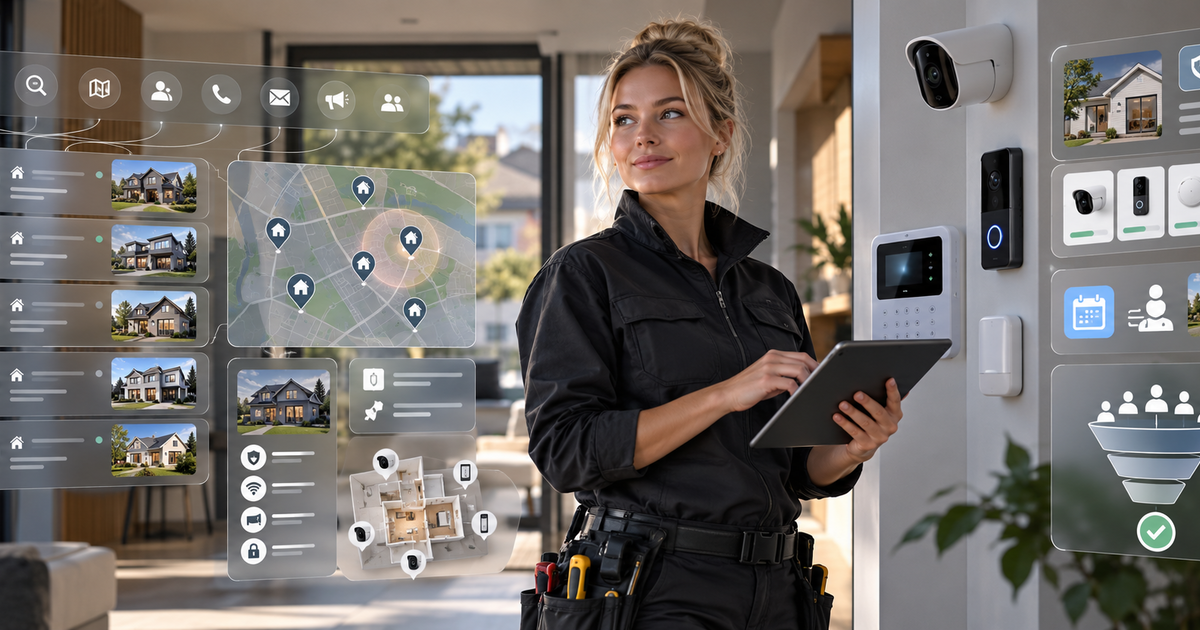
Home security lead generation works when property managers can quickly see which building systems you assess, install and support, and what you need to review before recommending equipment. Start with managed properties where the buyer is responsible for shared entrances, common areas or a portfolio of sites. Define a service area and a system scope before researching prospects. For a broader process, see B2B lead generation basics, then build an outreach list around one property-level need.
A property manager is not necessarily looking for a guard, a locksmith or a generic alarm vendor. They may need to understand how access control, camera coverage and alarm zones work together with tenant access, notice, data retention, system ownership and maintenance. A useful first conversation makes those responsibilities clear without claiming that equipment prevents crime or guarantees a particular outcome.
Key takeaways
- Target property managers responsible for shared building systems, not residents seeking personal security or one-off lock work.
- Qualify the existing equipment, doors, coverage goals, alarm zones, privacy expectations and authority to approve changes before proposing a design.
- For occupied properties, agree who gives notice, manages credentials, receives alerts and coordinates access during installation or testing.
- Include ownership, administration, retention settings, handover, maintenance and false-alarm response in the project discussion.
Which property managers own a building security decision?
Section titled: Which property managers own a building security decision?Start with managers responsible for the entrances, shared spaces or portfolio systems your company can support. A good contact can describe how security issues are reviewed, who approves system changes and who operates the equipment after handover.
- Portfolio or regional property managers: They coordinate vendors and building standards across several sites. Ask whether system ownership and support are managed centrally or left to each property, since the answer affects installation planning and ongoing service.
- On-site property managers: They understand which entrances, doors and shared areas create day-to-day access concerns. They can explain tenant turnover, visitor processes, notice routines and who handles an alarm or system fault after hours.
- Facilities and building operations leads: They may maintain door hardware, panels, networks and vendor records. Find out what equipment is already installed, which systems must remain compatible and how outages or testing are coordinated.
- Asset or capital-project managers: They may review a broader access, camera or alarm upgrade alongside other building work. Their questions often include system ownership, documentation, approval stages and whether work can be phased without disrupting occupied areas.
Use a relevant first-contact email to find the person who owns vendor review, then confirm who will administer the system once the installer leaves.
Qualify the property and system before recommending equipment
Section titled: Qualify the property and system before recommending equipmentA credible assessment begins with the building’s current setup, operating goals and privacy boundaries. Gather enough information to plan a site review, but do not promise coverage or compatibility before checking the actual doors, network, panel and use of each space.
- Access-control scope: Map which doors need controlled entry, who issues and removes credentials, and how staff, residents, visitors and contractors should be handled. Check the door hardware and existing controller before suggesting a replacement or expansion.
- Camera placement and coverage: Discuss entrances, shared routes, lighting and the purpose of each view. Review field of view on site, avoid private areas, and identify who approves placement, signs or notices and access to recordings.
- Alarm zones and response: Learn how the current panel groups areas and who receives alerts. Clarify who verifies an alarm, whom the property contacts, how false alarms are handled and what support your company is expected to provide.
- Tenant privacy and system control: Ask what notice or permission process applies, who sets retention and access policies, and who owns administrator credentials and stored data. Check the privacy and marketing requirements that apply to your work without assuming one policy fits every market.
- Installation, handover and maintenance: Agree how work will be phased around occupied spaces, what testing and labeling are included, and what records the buyer needs. Define who maintains equipment, manages permissions and responds to faults after commissioning.
About the demo companies and inbox
London Security system installer Services, London Property management company 1, London Property management company 2 and London Property management company 3, the contacts and inbox replies are fictional demo data. They are not Anomalead customers, actual properties or evidence of installed systems or security outcomes. The screens show prospecting steps only.
Home security lead generation starts with a building type you can support
Section titled: Home security lead generation starts with a building type you can supportSearch for property managers in areas where your technicians can survey sites, install the equipment you support and return for testing or maintenance. Decide whether you want to discuss access control, camera coverage, alarm upgrades or ongoing service before reviewing companies.
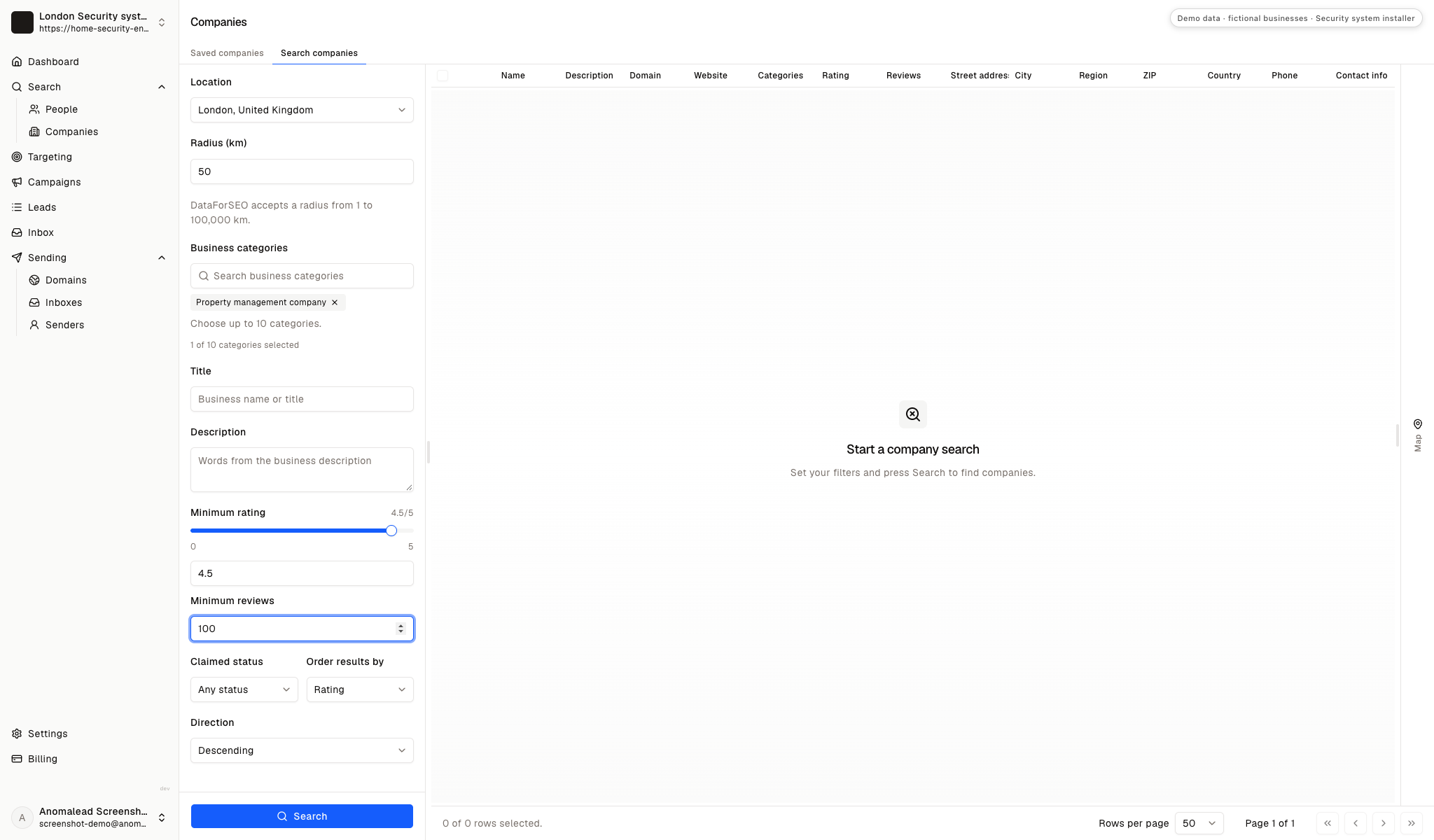
The search interface shows location, radius, company category and rating filters. Its fictional results and review details do not show a security need, system condition, resident consent or an open procurement process.
Choose a service area for site assessments
Section titled: Choose a service area for site assessmentsSet location and radius around properties your team can visit for a survey, installation and follow-up service. Select property-management companies as the prospect category, then narrow the search to a workable review list.
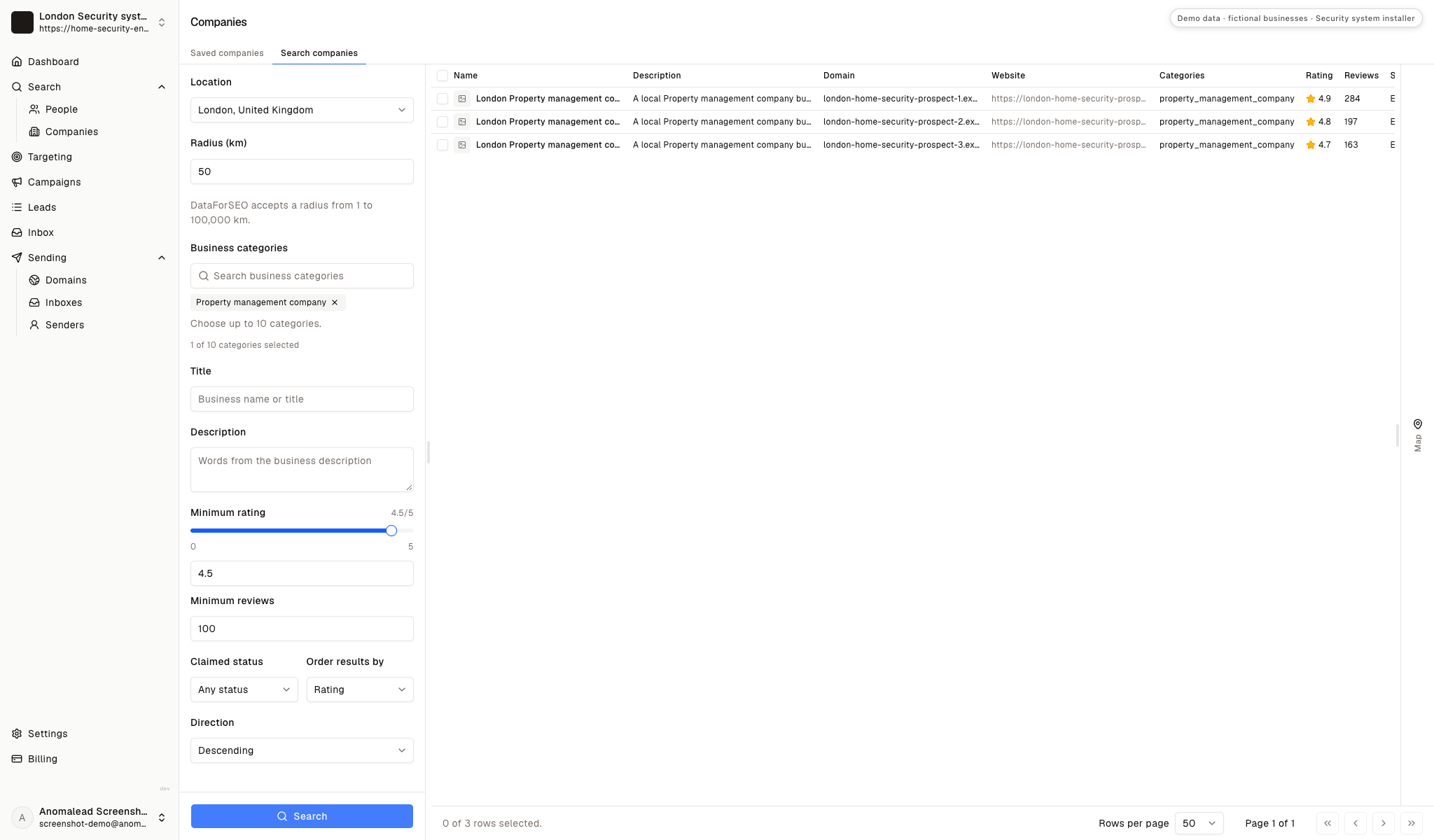
Review the fictional property-manager results
Section titled: Review the fictional property-manager resultsThe results view lists three fictional property-management companies with ratings and review counts. Treat those details as interface examples, not evidence that a building needs cameras, access control or an alarm change.
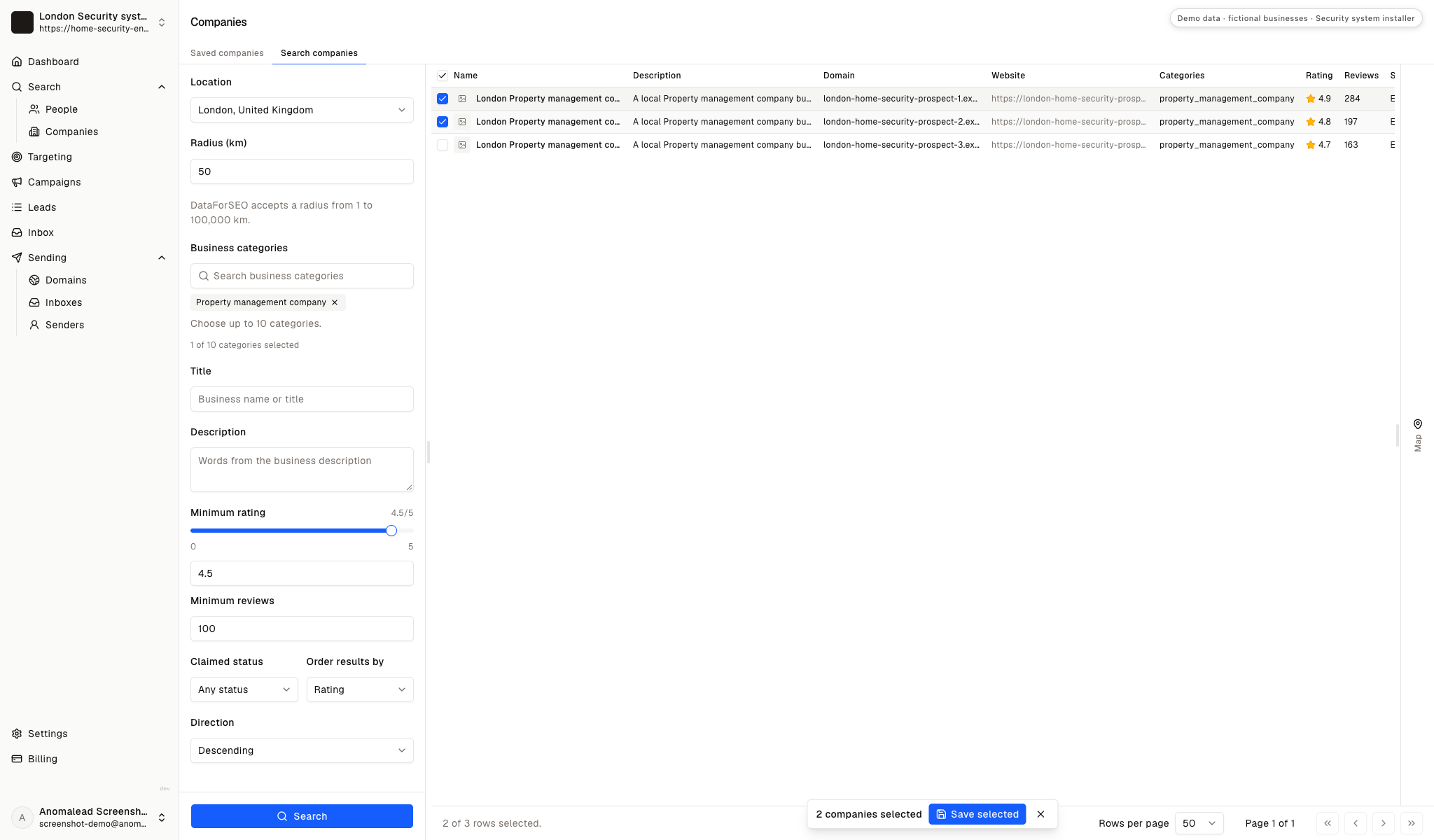
Save firms whose buildings fit your service scope
Section titled: Save firms whose buildings fit your service scopeThe demo selects two of the three fictional companies and saves them. Keep firms whose building types, location and operating setup plausibly match your installation and support work.
Research who owns installation access and system administration
Section titled: Research who owns installation access and system administrationA property manager may choose a vendor while a facilities lead controls doors, networks or alarm panels. Identify who approves the project, who can arrange a site survey and who will administer credentials after handover before choosing your first recipient.
Contact enrichment can find business roles; it cannot reveal camera placement, system condition or security procedures. Keep prospecting notes to professional context. Never put tenant access codes, recordings or incident details into a marketing list or ordinary cold email.
Check the saved company before finding contacts
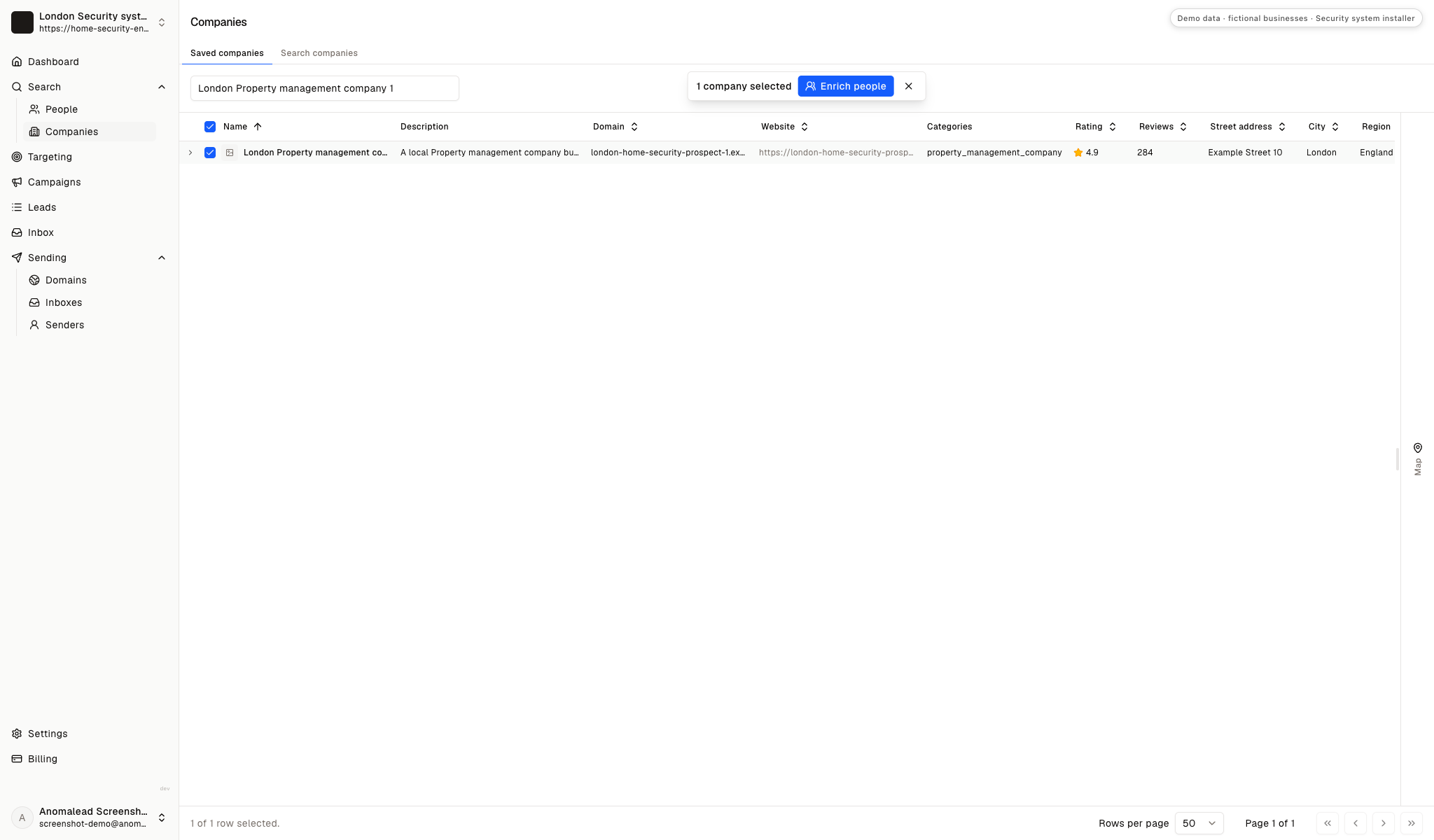
Section titled: Check the saved company before finding contactsReview the selected company and likely building types before enriching contacts. Contact research is more useful after the property portfolio and your service scope have passed an initial fit check.
Find the person who reviews security vendors
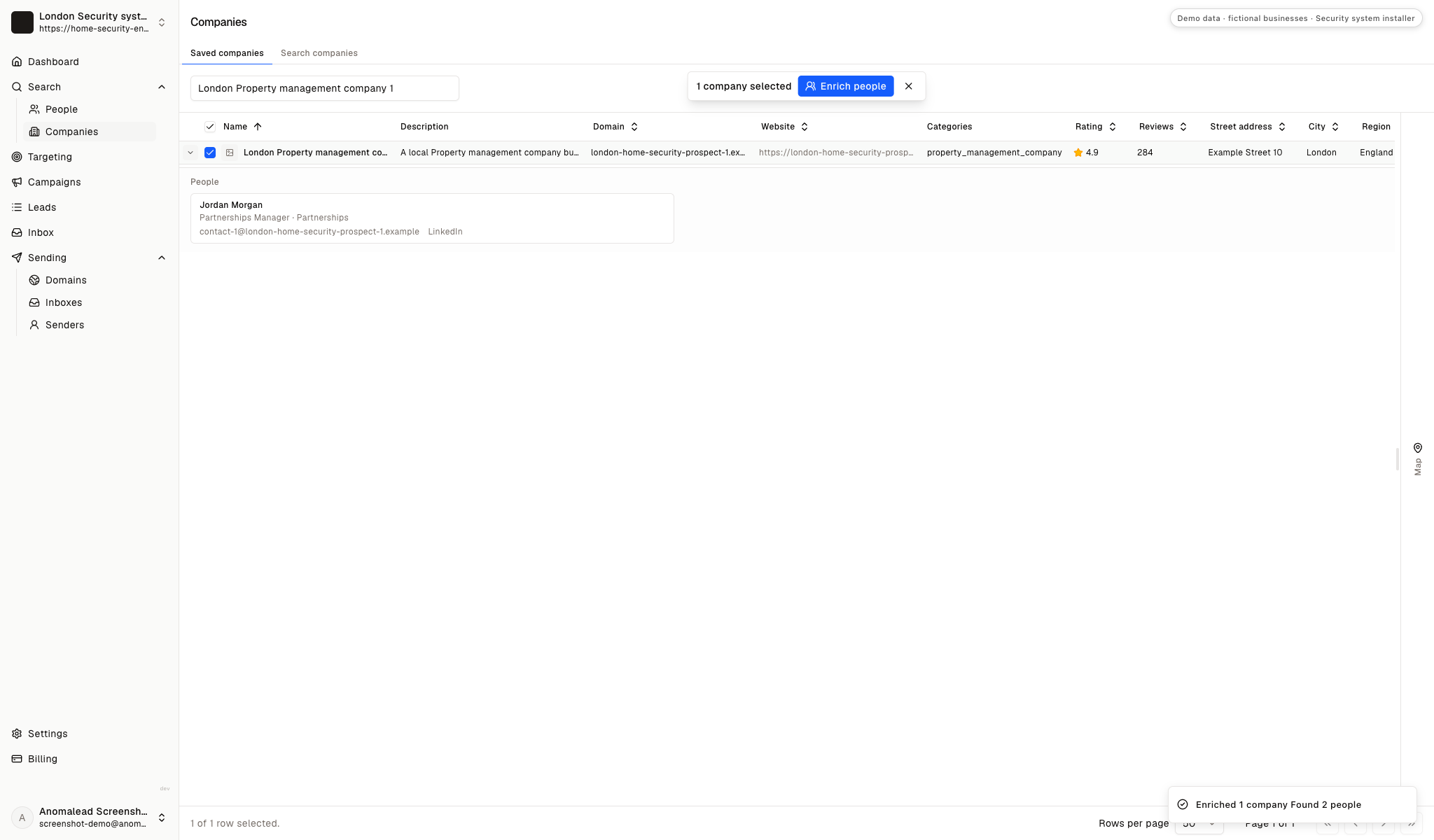
Section titled: Find the person who reviews security vendorsThe demo shows two fictional partnerships contacts, Jordan Morgan and Taylor Reed. A real property manager may separate vendor review, system administration and site access across different roles.
Keep your campaign list free of resident data
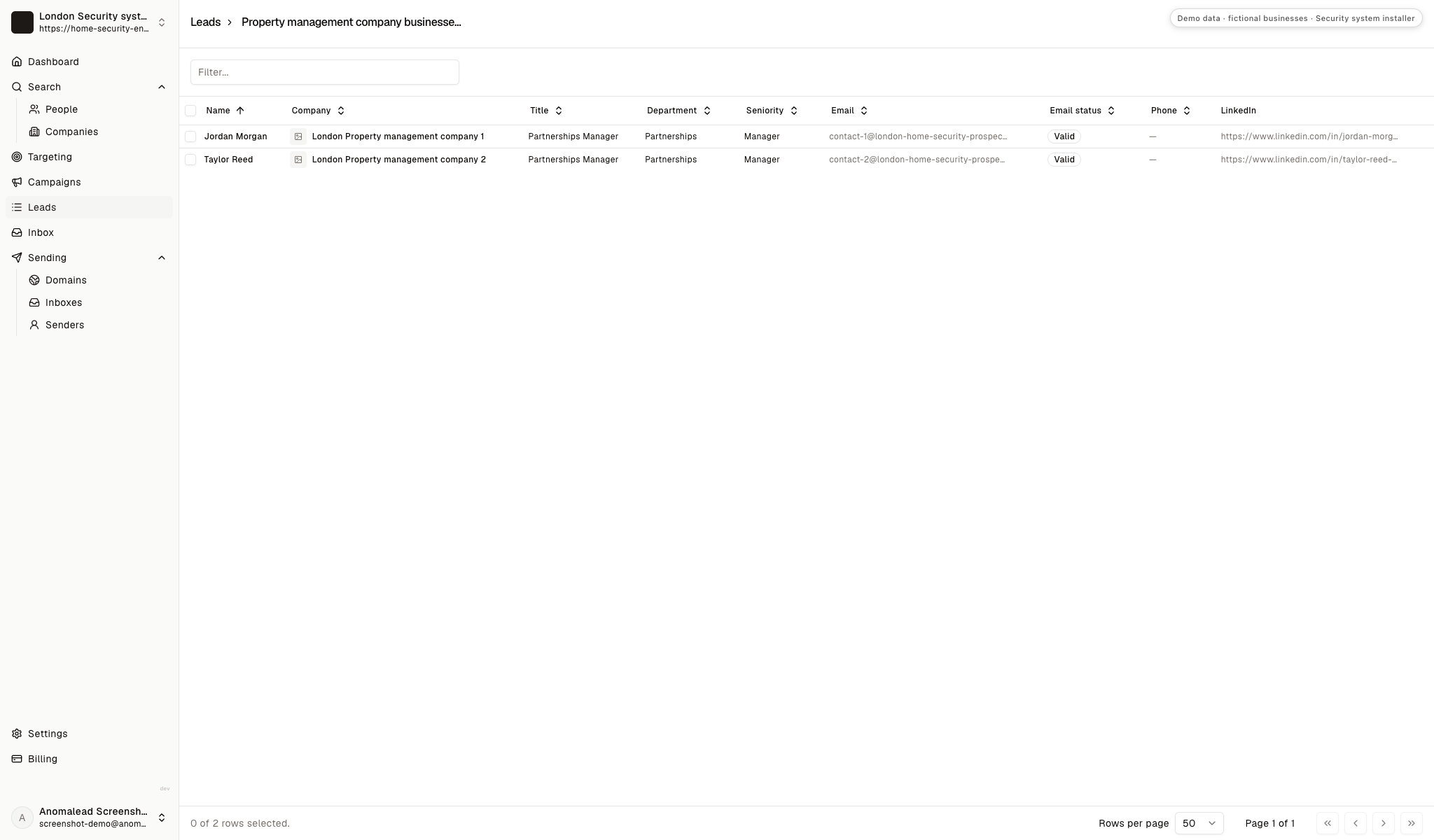
Section titled: Keep your campaign list free of resident dataThe saved list contains two professional contacts for campaign review. Store only business details relevant to the vendor conversation; do not add tenant identities, access credentials, camera footage or incident reports.
Assess the work behind a managed-property security account
Section titled: Assess the work behind a managed-property security accountA property system project can include a survey, compatibility checks, installation planning, testing, user handover and ongoing maintenance. Compare that work with the qualified capacity your team can provide across the sites you want to support.
A multi-site relationship is only useful when each location can be assessed and supported on clear terms. Consider who owns system administration and after-hours response before treating a portfolio discussion as a service opportunity.
Enter your own assumptions about outreach effort, site reviews and a possible account. The calculator shows how those inputs relate; it does not predict projects, approvals, crime prevention, incidents, revenue or conversion.
Do the math on one good deal
If one new customer is worth thousands, you don’t need magic. You need a few more meetings a month.
Projected monthly results
- Deals closed
- 2.0
- Projected revenue
- £10,000
- Growth plan (1 business)
- £79/mo
- ROI
- 12,558%
Conservative math on meetings you already believe you can book. One closed deal often pays for a year of Anomalead.
Include survey time, compatibility review, tenant communication, commissioning, training and maintenance in your estimate of delivery effort.
Open with a property-level assessment, not an alarm promise
Section titled: Open with a property-level assessment, not an alarm promiseA useful introduction describes the systems you assess and the property questions you resolve before specifying equipment. Explain how your team reviews access-control doors, camera views or alarm zones, and how it handles privacy, permissions and handover.
Ask for the person who reviews building systems or permission to send a concise capability note. Before a site visit, confirm access authority, notice requirements and who can discuss existing equipment. Avoid suggesting that installation alone prevents crime or removes operational risk.
Select recipients who can review the same system question
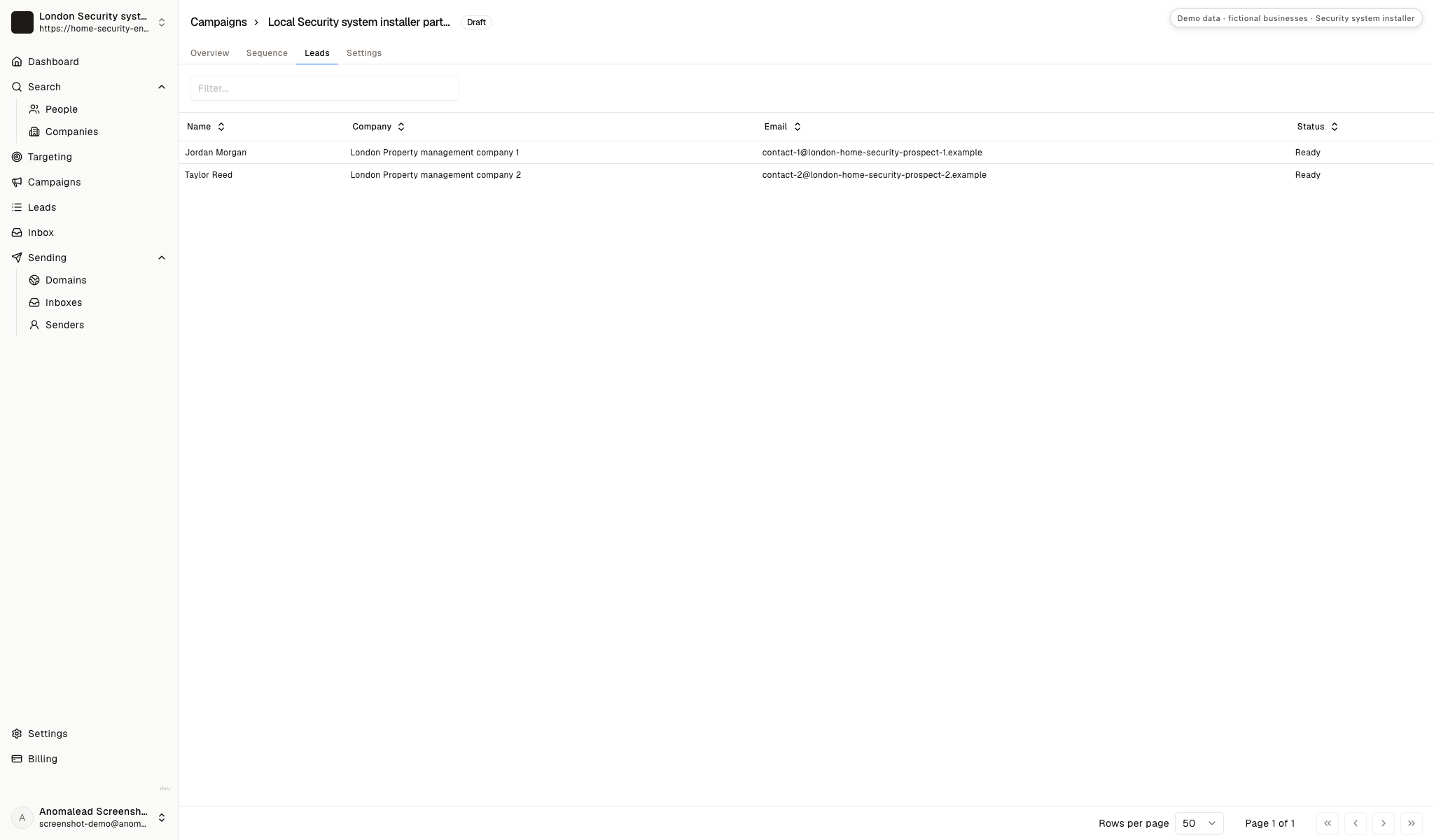
Section titled: Select recipients who can review the same system questionThe draft campaign shows two selected recipients. Confirm that each person is a relevant professional contact and remove anyone who cannot route a building-system question.
Review the security outreach sequence before sending
Section titled: Review the security outreach sequence before sendingThe editor shows three emails, with a three-day wait after the first and a four-day wait after the second. Check each message for accurate service claims, opt-out handling and a useful property-level question. Later notes should add context instead of repeating the pitch.
Keep availability and credentials current. Do not imply that the property has a known security weakness or that equipment will prevent an incident.
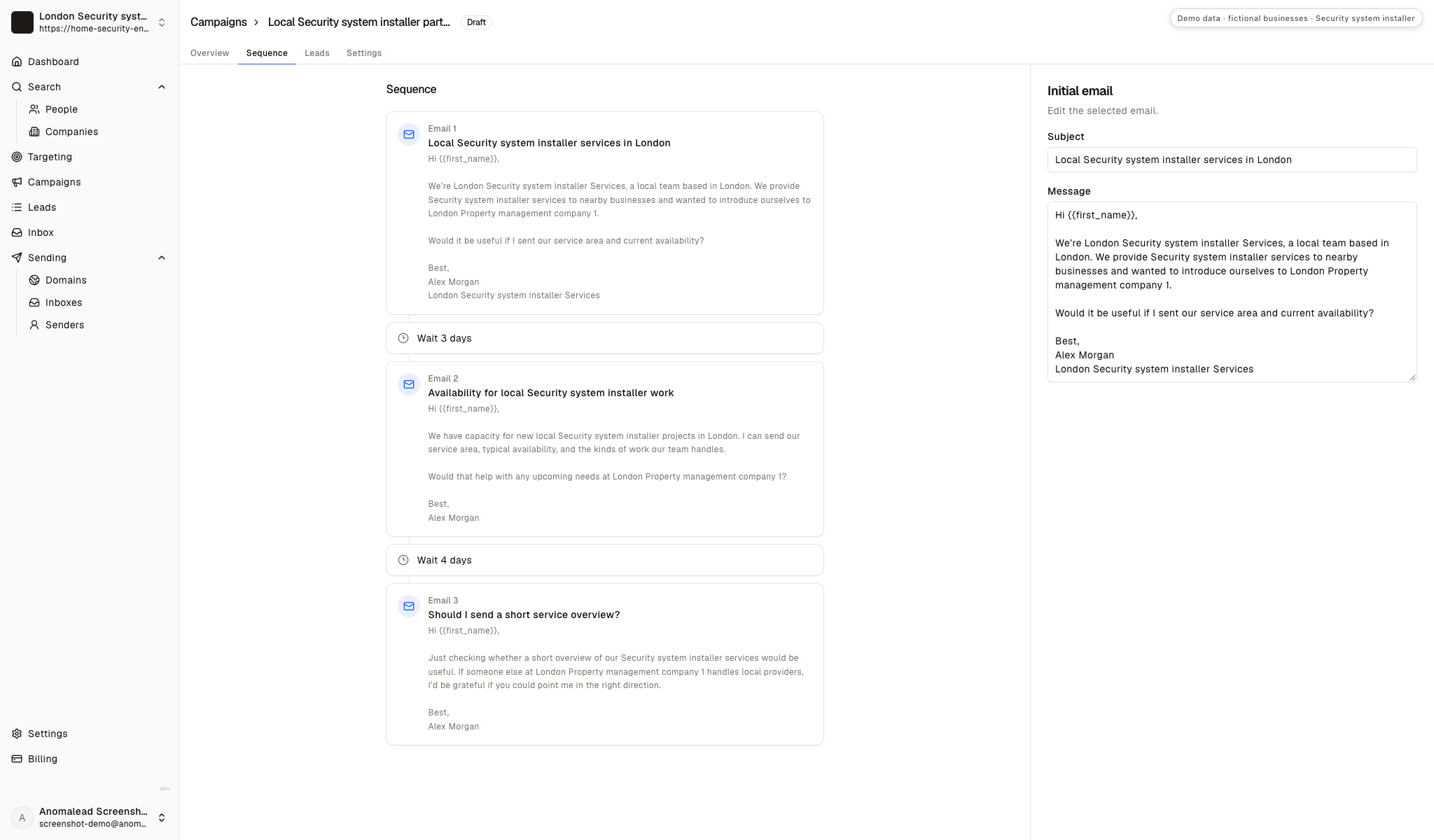
Write one first note for the system topic
Section titled: Write one first note for the system topicJordan Morgan and Taylor Reed are fictional demo contacts. Replace the examples with verified services, coverage and credentials, and keep tenant or incident information out of prospecting.
First note about assessment and ongoing support
Subject: A property-level review of access and security systems
Hi Jordan,
I’m Alex Morgan with London Security system installer Services. We assess and install property security systems, including access control, cameras and alarms, then define testing, system ownership and ongoing support before handover. We confirm the site scope and privacy requirements before proposing equipment.
Would a short overview of our assessment process be useful for your vendor review?
Best, Alex Morgan, London Security system installer Services
Follow-up about a planned system review
Subject: Re: A property-level review of access and security systems
Hi Taylor,
I’m following up with a practical way to scope property security work. A site discussion can cover controlled doors, camera views in shared areas, alarm zones, tenant notice, system administration and who receives fault alerts. Any recommendation would follow a review of the existing setup.
Who coordinates site access and vendor review for upcoming system work?
Best, Alex Morgan
Use B2B cold email examples for structure, then make the system scope and question specific to the property manager.
Use a reply to qualify the next system discussion
Section titled: Use a reply to qualify the next system discussionThe fictional inbox contains two replies from Jordan Morgan and Taylor Reed. One asks for service area, availability and an indicative price range; the other mentions upcoming work and asks for availability and credentials.
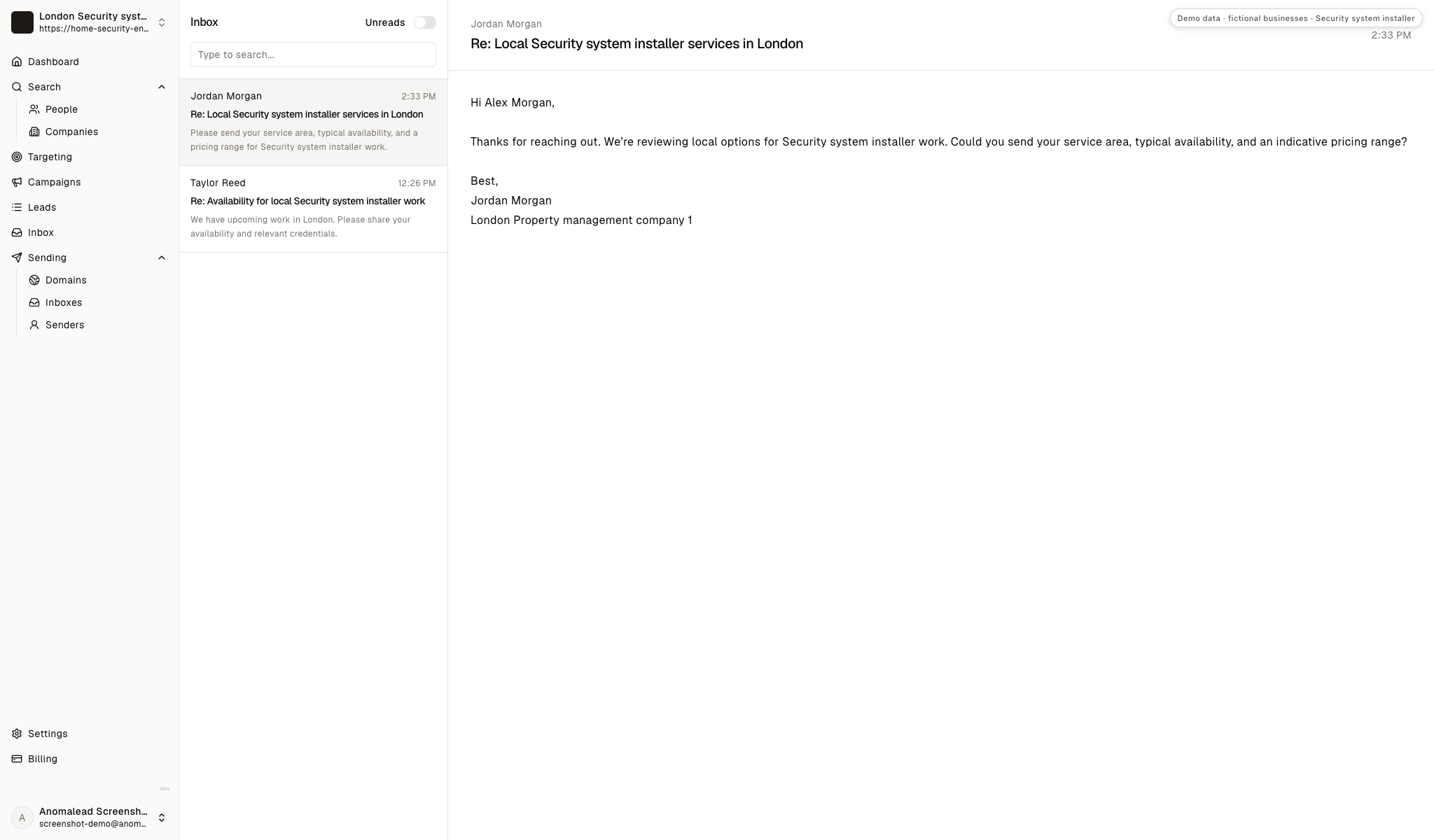
How to answer property managers about security work
Section titled: How to answer property managers about security workAnswer the operational question before suggesting a site visit. Describe what your team can assess or install, identify what needs inspection and avoid promising security outcomes.
Jordan asks for service area, availability and a price range
Section titled: Jordan asks for service area, availability and a price range“Please send your service area, typical availability and an indicative price range for security-system work.”
State the areas your team serves and how you confirm current capacity. Explain that scope and price depend on the existing doors, panel, network, coverage goals and installation access. Do not invent a flat rate for a system you have not surveyed.
Answer the request and explain the survey step:
“Thanks, Jordan. Our service overview lists our coverage, and I can confirm current availability after we understand the property and work window. Cost depends on existing equipment, door and camera scope, and access, so we assess those before quoting. Which system area is under review?”
Taylor mentions upcoming work and asks for availability and credentials
Section titled: Taylor mentions upcoming work and asks for availability and credentials“We may have a project coming up. Please share availability and relevant credentials.”
Send only current credentials, insurance and service information relevant to the proposed installation or maintenance. Ask what system area and property type are involved, who approves access and whether there is an existing vendor-review process. Do not promise a start before checking compatibility and site conditions.
Confirm capability before discussing dates:
“Thanks, Taylor. I can send current company and qualification information. Could you share the general system scope and service area, without tenant or incident details? Once we know the access and approval process, we can confirm whether a site review is appropriate.”
The manager asks whether cameras can cover private areas
Section titled: The manager asks whether cameras can cover private areas“Can your team add cameras inside apartments to improve security?”
Do not agree to private-area monitoring as a routine installation feature. Clarify that camera placement requires an approved purpose, a review of the field of view, appropriate notice and permission, and a documented retention and access policy. Ask the property to confirm its privacy review before design.
Set a privacy boundary and route the request to review:
“We assess cameras for approved property areas and review the view, permissions, notice and recording access before installation. We would not propose monitoring private living areas as a default. Which shared property area is the project intended to address?”
The manager already has an alarm provider
Section titled: The manager already has an alarm provider“We have an alarm company in place. We are not changing vendors now.”
Respect the existing relationship. Ask whether the property wants a second opinion on a defined expansion, support for a separate site or maintenance when the current arrangement is reviewed. Do not criticize an incumbent without seeing the system and contract scope.
Leave room for a defined future review:
“Understood. If a site later needs an access-control, camera or maintenance review, I can share a concise capability note. When does your team typically revisit vendor coverage?”
Choose one system question for the next property group
Section titled: Choose one system question for the next property groupBuild a small list around one building-level need, such as access-control review, shared-area camera coverage or panel maintenance. Use focused lead-generation planning to organize contacts by who approves systems, who operates them and who coordinates site access.
For each property manager, note the likely system owner, tenant-notice process, maintenance arrangement and handover expectations. Ask one practical question before suggesting a survey. Keep claims about coverage, credentials and response capacity tied to what your team can verify.
Questions about security-system projects for property managers
Section titled: Questions about security-system projects for property managersWhich property managers should a security installer approach?
Section titled: Which property managers should a security installer approach?Start with managers responsible for shared entrances, common areas or a portfolio system your team can assess and support. Confirm who reviews vendors, who controls site access and who will administer the system after handover.
What should be reviewed before proposing cameras or access control?
Section titled: What should be reviewed before proposing cameras or access control?Review existing equipment, door hardware, network and the purpose of each system area. Discuss field of view, privacy boundaries, notice, permissions, recording retention and who can access or administer the system before recommending a design.
How should an installer address tenant privacy?
Section titled: How should an installer address tenant privacy?Keep the conversation at the property and system level. Confirm the property’s notice and permission process, avoid private-area monitoring as a default, and document retention, access and system ownership responsibilities.
Are the property companies and replies shown in the screenshots real?
Section titled: Are the property companies and replies shown in the screenshots real?No. London Security system installer Services, the property-management companies, contacts and replies are fictional demo data. They are not customers and do not show installed equipment or real security outcomes.
Does the calculator predict whether a system will prevent crime or win a project?
Section titled: Does the calculator predict whether a system will prevent crime or win a project?No. It relates assumptions you enter about outreach and a possible account. It does not predict approvals, installations, crime prevention, incidents, revenue or conversion.